Find which TikTok ads are tired and which to keep
Compares each running ad with its own past and its peers, then sorts them into retire, scale or watch with the spend at risk.
Updated
- Free
- Ready in one click
- Needs a TikTok Ads connection
- 1
Download skill
Click the button
- 2
Add to your assistant
A few steps below
- 3
Paste a prompt
Fill in, get your answer
From guesswork to a clear answer
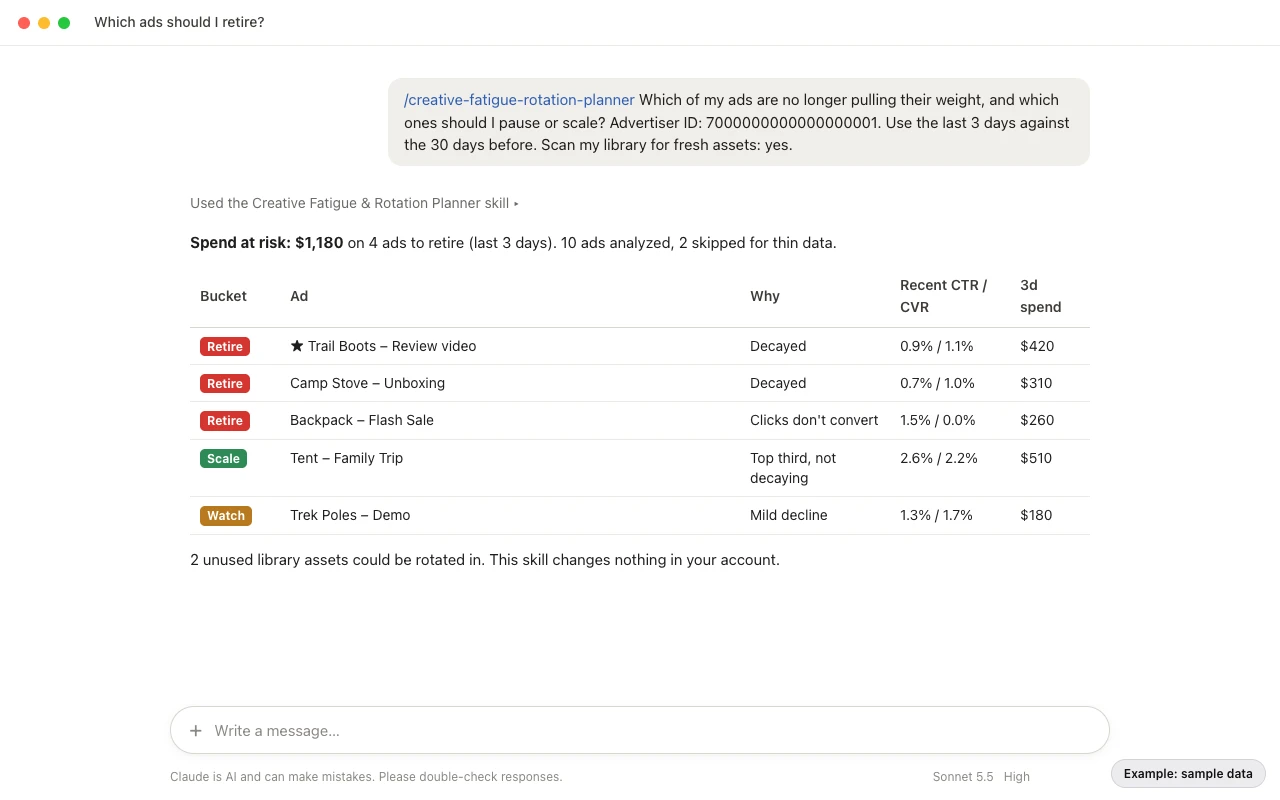
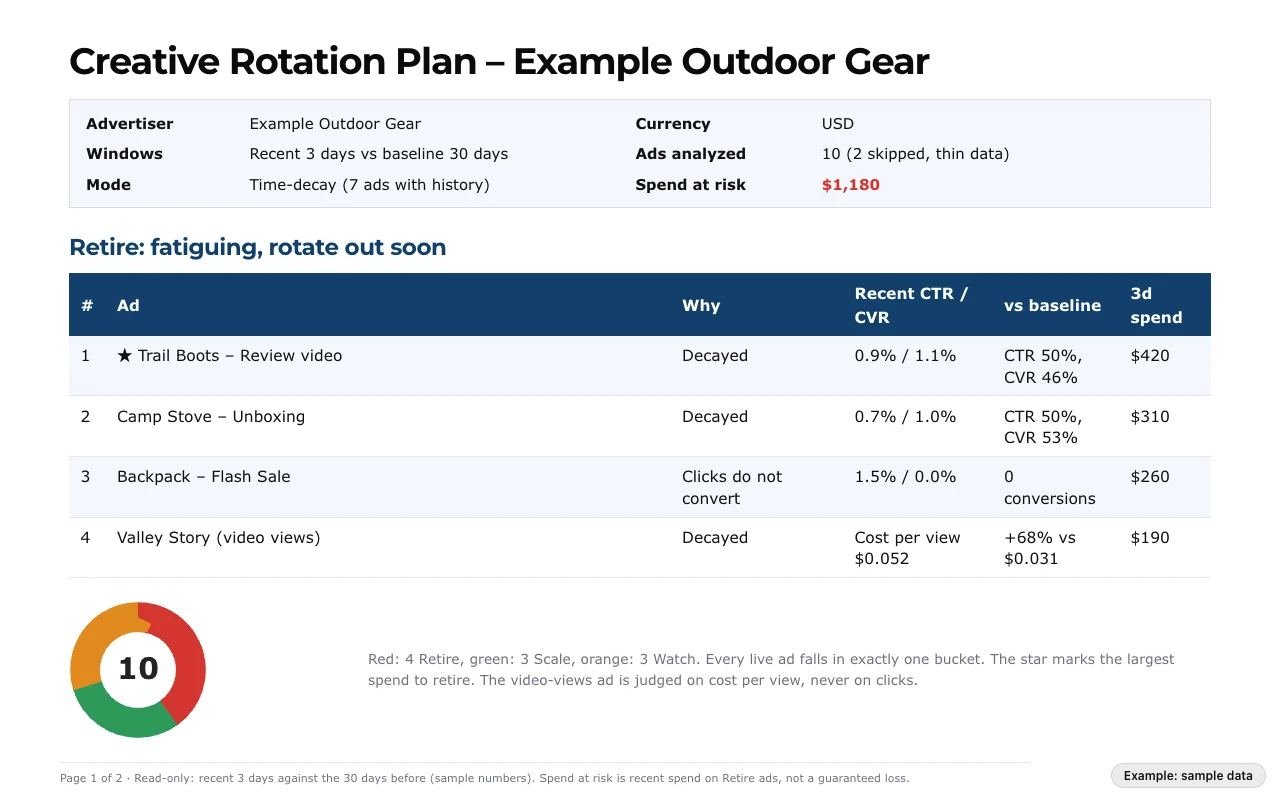
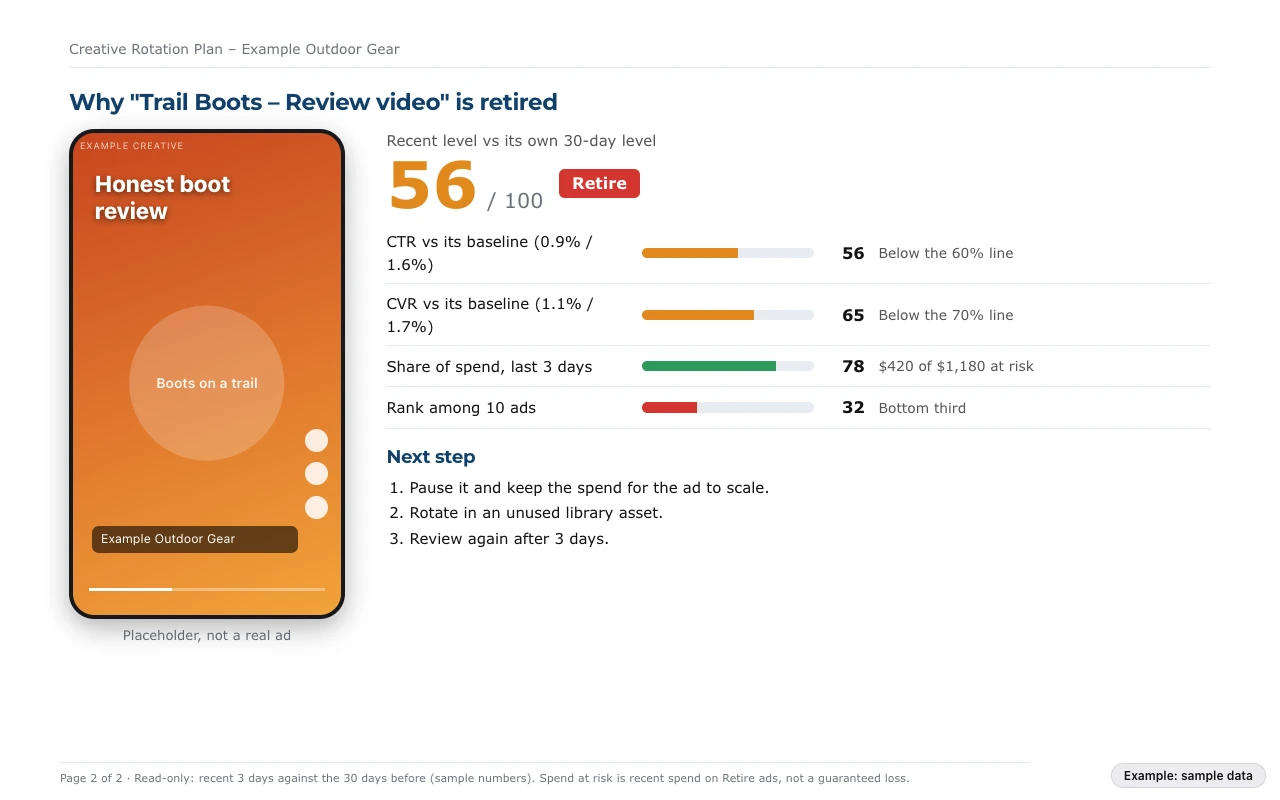
You get every running ad sorted into Retire, Scale or Watch, with the size of the drop.
Before: You do not know which ads are fading and which still pull their weight.
You get each ad judged on the right measure for its goal, such as cost per view or CPM instead of clicks.
Before: Your video-view ads get almost no clicks and you worry they are failing.
You get a spend-at-risk figure for the ads to retire, plus fresh library assets you could rotate in.
Before: You are not sure how much budget sits on tired ads.
Made for
- Advertisers with several running TikTok ads who want to know what to refresh
- Marketers planning a creative rotation each week
- Teams that want a ranked list before they change anything
Not made for
- Accounts with very little ad data: ads under 1,000 impressions are skipped
- Anyone who wants the skill to swap, pause or upload creatives for them: it only reads
What you need
- AI assistantAn AI assistant that lets you add skills.
- Account or accessA connection from your AI assistant to your TikTok Ads account (a tool link, often called an MCP server) that can read your campaigns and reports. It only reads ad reports and your creative library; it is written never to swap, pause, upload or delete anything. To get the 30-day baseline it asks TikTok to produce one report, which does not change your ads. Setup can be tricky and the Ecomdy team can help.
- Your numbersYour TikTok Ads advertiser ID (or Business Center ID). Optionally the recent window (default last 3 days), the baseline window (default the 30 days before) and whether to scan your library for fresh assets.
Replace the [brackets] with your own details, then paste it into your AI assistant.
Which ads should I retire?
Which of my ads are no longer pulling their weight, and which ones should I pause or scale? Advertiser ID: [your advertiser ID]. Use the last [3] days against the 30 days before. Scan my library for fresh assets: [yes or no].
You get: A one-screen plan with a spend-at-risk headline and ads listed under Retire, Scale and Watch, with reasons and recent spend.
Video views, few clicks
My video-view ads get very few clicks. Does that mean the creative is failing, and which ones should I rotate out? Advertiser ID: [your advertiser ID].
You get: Video-view ads judged on cost per view or view rate, not clicks, with the ones to rotate out marked.
Find my clear winner
Out of all the ads I am running now, which creative is my clear winner to put more budget behind, and which are dragging? Advertiser ID: [your advertiser ID].
You get: Top performers listed under Scale and weak ones under Retire, compared with current ads of the same goal.
Choose your AI assistant, then follow the video to add this skill to it step by step.
Ready to try Find which TikTok ads are tired and which to keep?
Source: from TikTok Agentic Hub