Decide which ad creatives to fix, refresh or replace first
Paste per-ad numbers or a product brief and get a ranked review, a check on fatigue claims, draft concepts and a small manual test plan.
Updated
- Free
- Ready in one click
- Needs a TikTok Ads connection
- 1
Download skill
Click the button
- 2
Add to your assistant
A few steps below
- 3
Paste a prompt
Fill in, get your answer
From guesswork to a clear answer
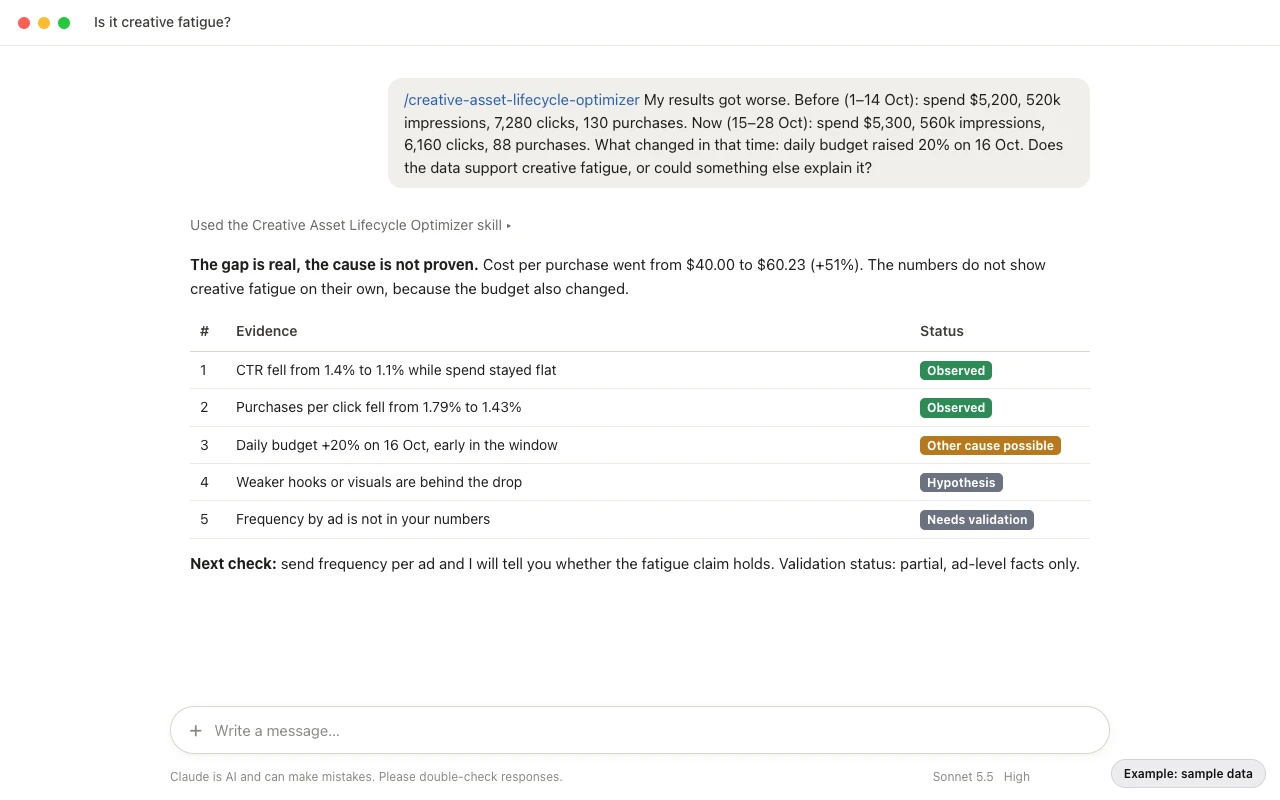
You get what the numbers do and do not support, and what evidence is still missing before calling it fatigue.
Before: Your ad results slipped and you cannot tell if the creative is worn out.
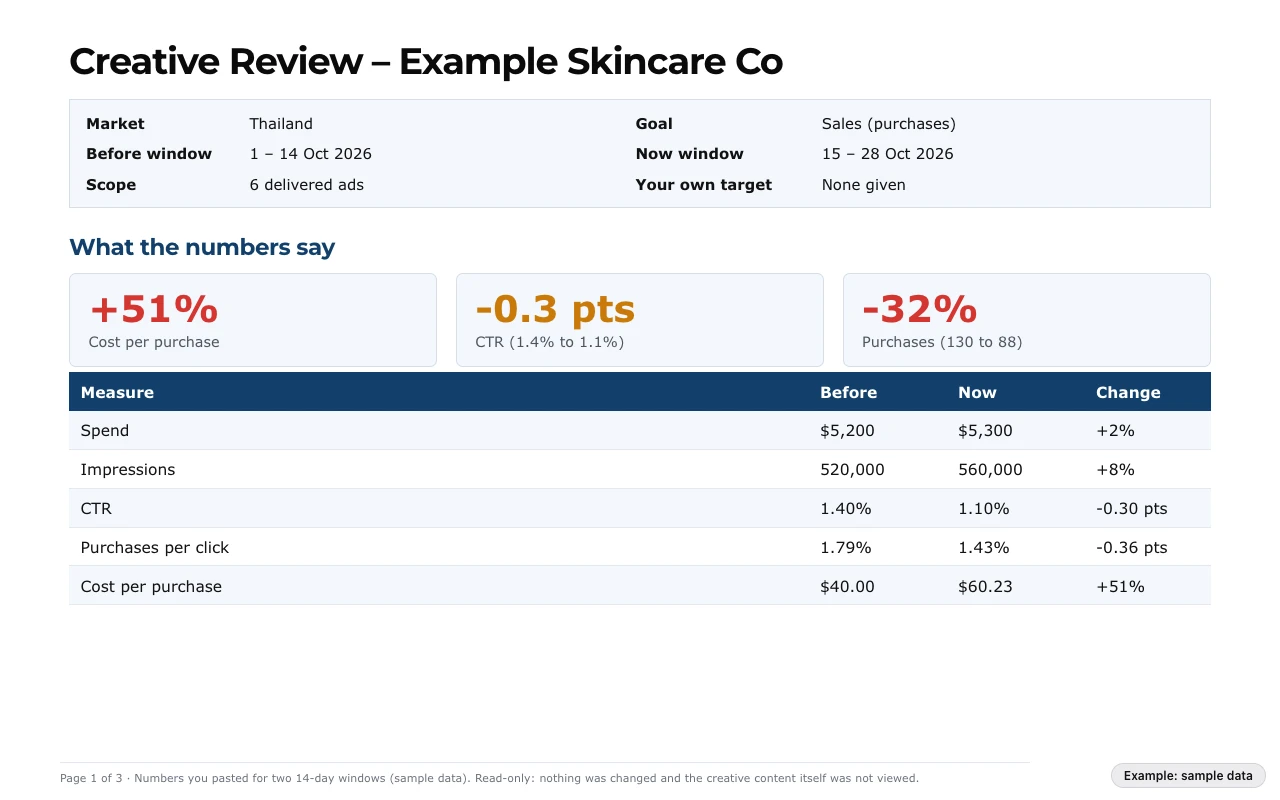
You get the gap shown by your numbers, separating how many creatives you run from how well they perform.
Before: You are unsure whether to add more creatives or improve the ones you have.
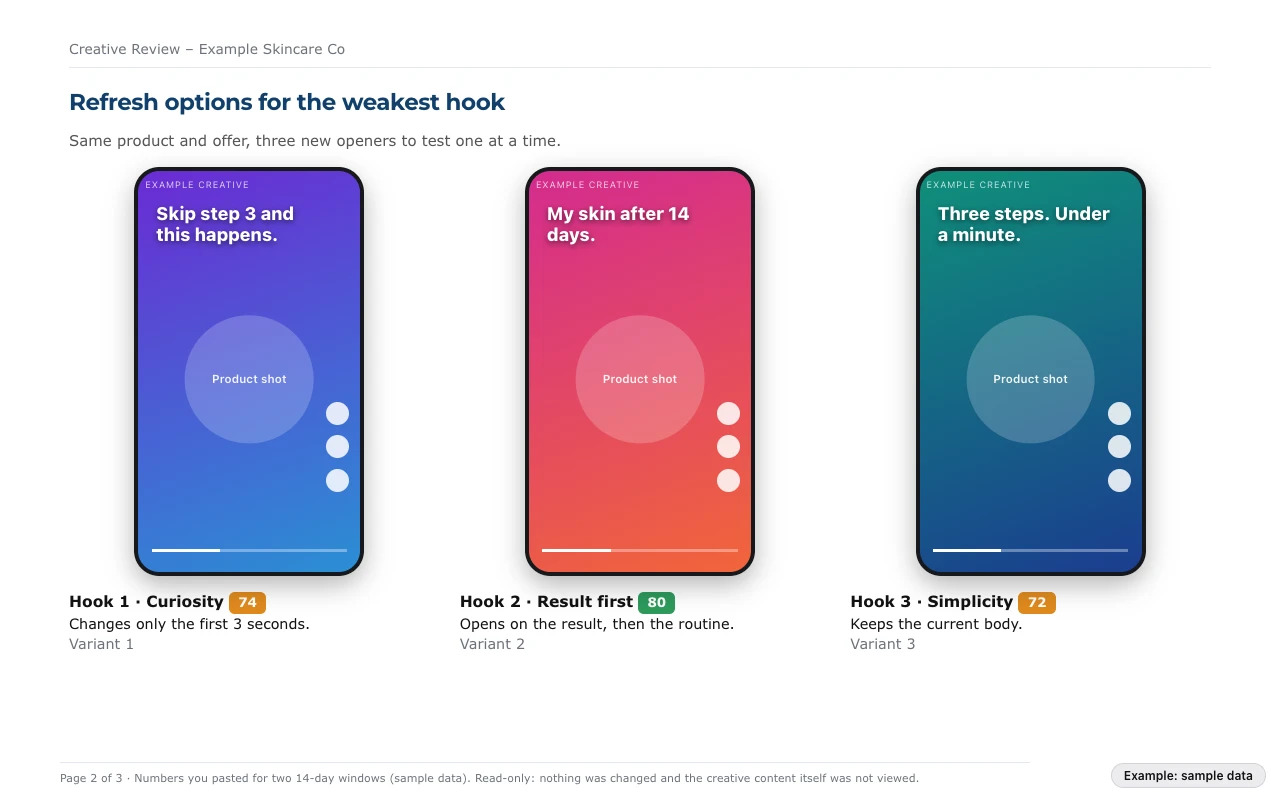
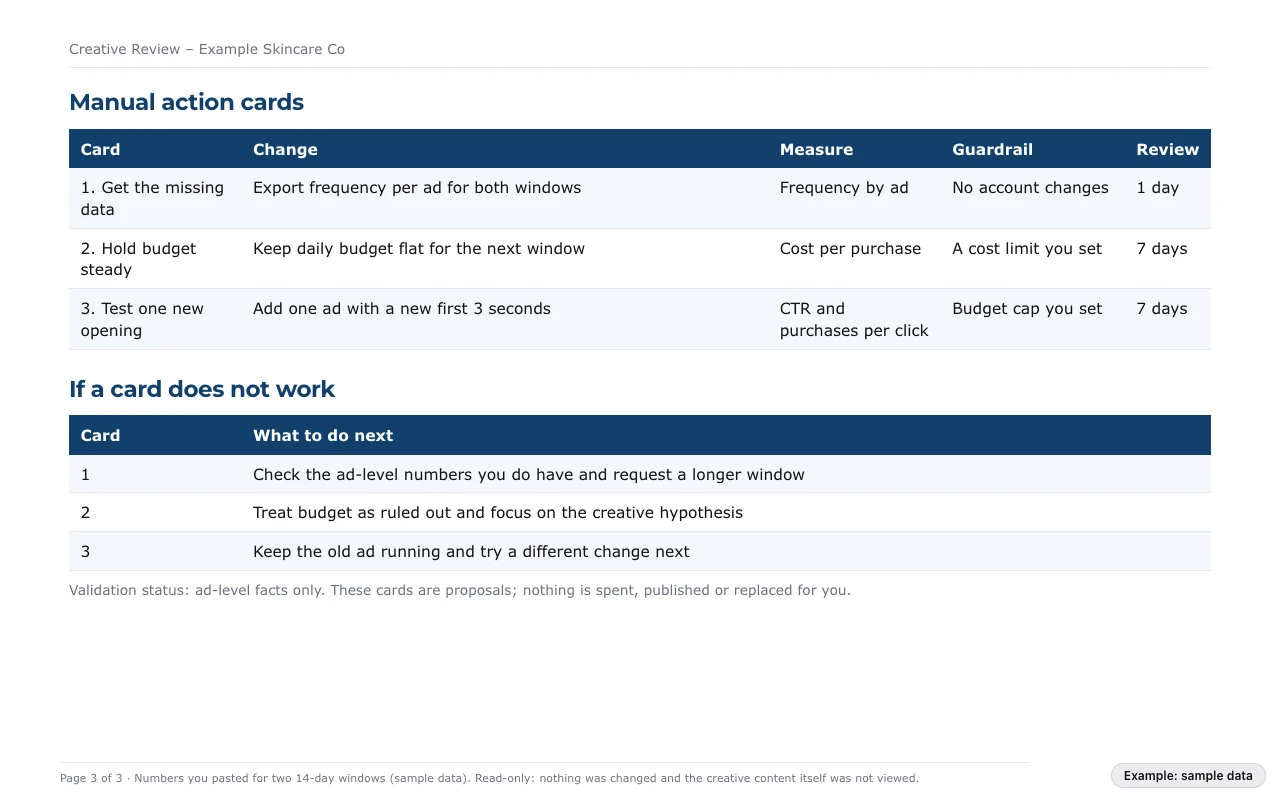
You get draft concepts from your own product facts, and up to three manual test cards with measure, guardrail and review window.
Before: You want fresh ideas but have no clear test plan.
Made for
- Advertisers in Asia-Pacific running TikTok ads
- Marketers whose ad results dropped and who suspect creative fatigue
- Teams that want concept drafts built only from approved product facts
- Small advertisers planning a test within a fixed budget
Not made for
- Advertisers outside Asia-Pacific who want regional strategy: only a factual review is covered
- People who want it to watch their videos: it cannot see scenes or spoken claims
- Anyone who wants a review of a whole creative library, not just ads that delivered
- People who expect it to read or change their ad account
What you need
- AI assistantAn AI assistant that lets you add skills.
- Your numbersYour market, goal and dates. For each ad: name or ID, spend, impressions, clicks and results (purchases or leads); two periods if comparing. Add your own target if you have one. For drafts: product facts, allowed claims, format and brand rules.
- Account or access · optionalOptional: if your assistant already has a read-only TikTok ads connection, the skill is written to read ad settings, reports and the change log itself. You do not need it for this page.
Replace the [brackets] with your own details, then paste it into your AI assistant.
Rank my creatives
Review these ads and tell me which to improve first.
Market: [country]
Goal: [sales, leads...]
Period: [dates]
My own target: [for example cost per sale, or none]
Ads, one per line (name, spend, impressions, clicks, purchases or leads): [paste your table]
Tell me what the numbers cannot show.
You get: A short conclusion, evidence rows at the level your data supports, and what cannot be concluded from clicks alone.
Is it creative fatigue?
My results got worse. Before ([dates]): [numbers]. Now ([dates]): [numbers]. What changed in that time: [targeting, budget, offer, tracking...]. Does the data support creative fatigue, or could something else explain it? What evidence would I still need?
You get: A measured gap, other changes that could explain it, and a hypothesis labelled as unproven until more evidence exists.
Draft new concepts
Draft [2 or 3] concepts for a [video, image or carousel] ad from this brief.
Product: [what it is]
Audience and problem: [describe]
Proof I can back up: [facts]
Claims I must not make: [list]
Brand rules: [tone, colours, words to avoid]
For each: hook, message, call to action and text on screen.
You get: Draft variants (up to three, each a few scenes) built from your facts, labelled as proposals that you must review before use.
Plan a small test
Help me plan a small creative test.
What I want to learn: [for example which opening works]
Current ads: [describe]
Budget ceiling: [amount]
Success measure: [metric]
Review window: [days]
Give me up to three action cards I can run by hand.
You get: Up to three manual action cards with owner, change, measure, guardrail, review window and what to do if it fails.
Choose your AI assistant, then follow the video to add this skill to it step by step.
Ready to try Decide which ad creatives to fix, refresh or replace first?
Source: from TikTok Agentic Hub