Plan your next TikTok campaigns from your past results
Reads your account history, then plans and builds new TikTok campaigns as paused drafts for you to review before anything goes live.
Updated
- Free
- Ready in one click
- Needs a TikTok Ads connection
- 1
Download skill
Click the button
- 2
Add to your assistant
A few steps below
- 3
Paste a prompt
Fill in, get your answer
From guesswork to a clear answer
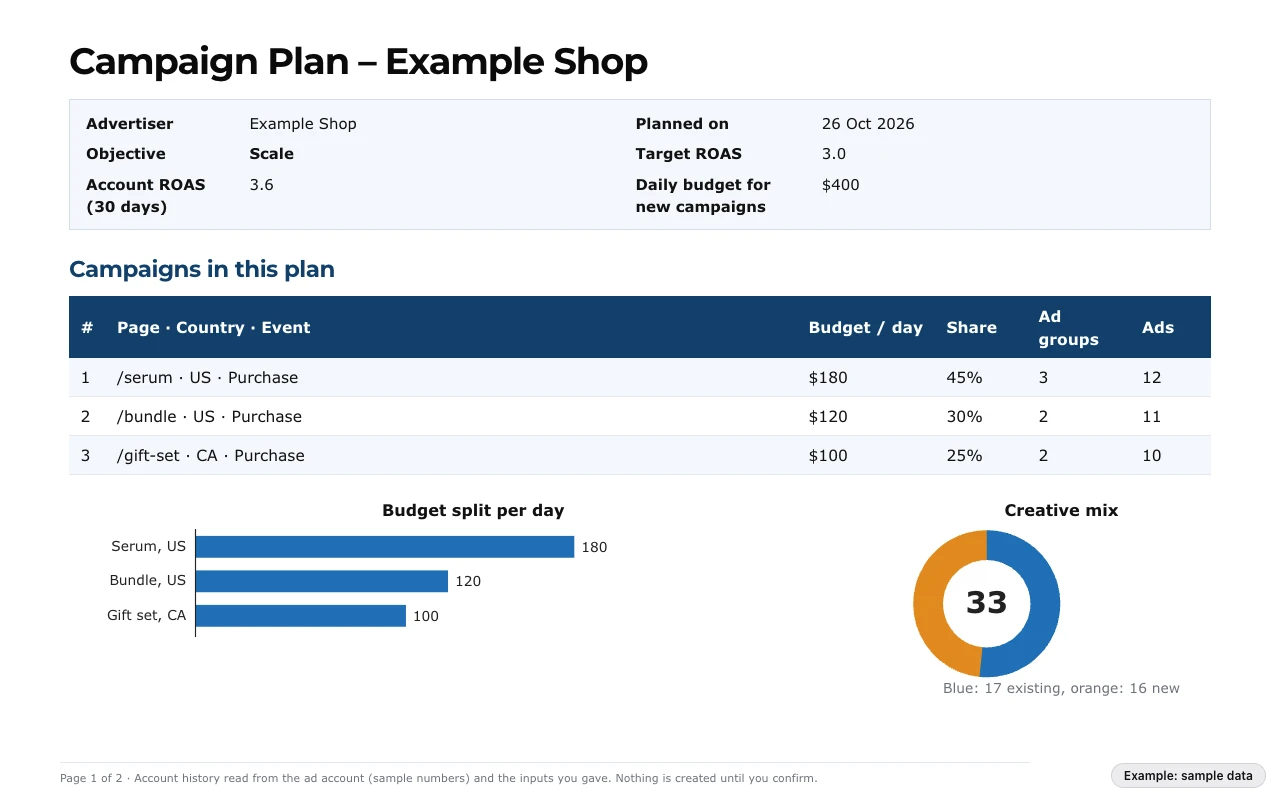
You get a plan that picks scale, steady improvement, retest or new product based on your account data.
Before: You have an account with results but no clear plan for what to launch next.
You get a campaign structure with budget shares, a mix of old and new creatives and audience settings for each ad group.
Before: You are unsure how to split budget, creatives and audiences across new campaigns.
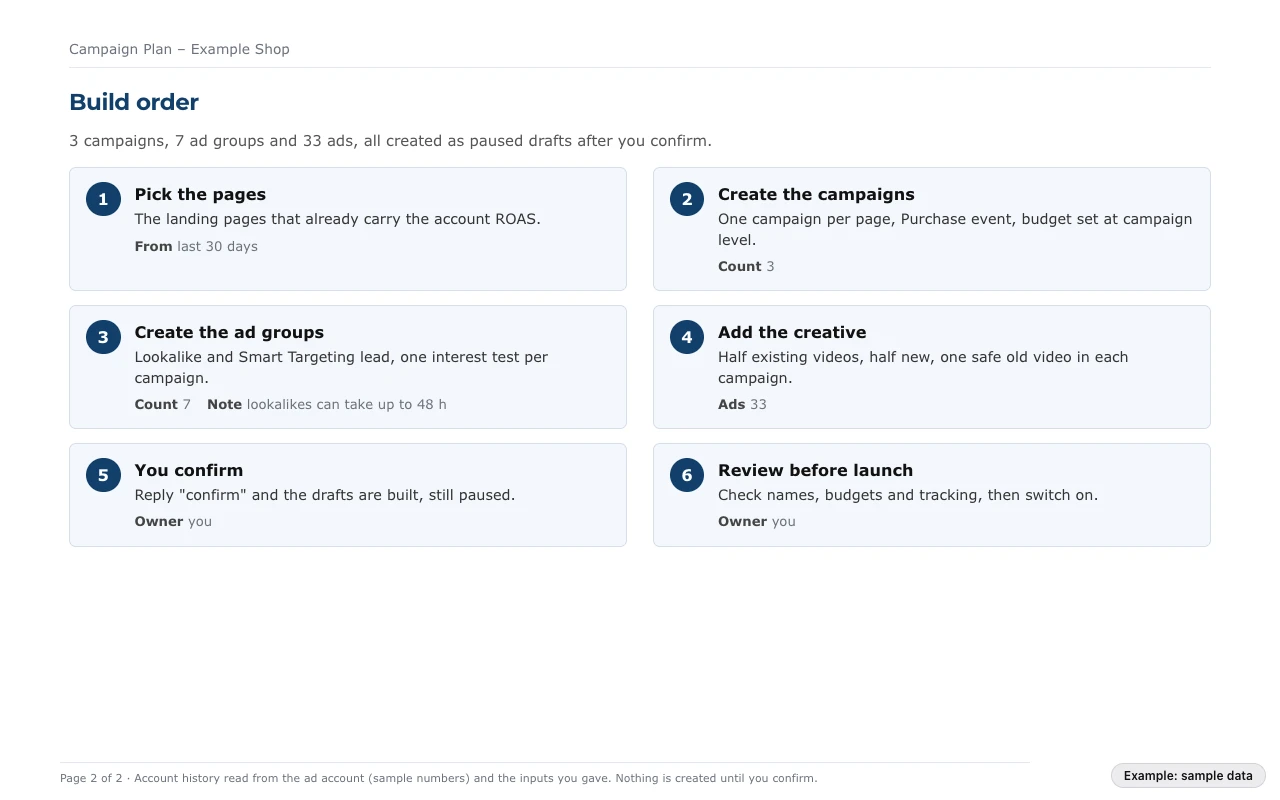
After you confirm the plan, it builds paused campaigns, ad groups and ads in your account for you to review.
Before: Setting up campaigns by hand takes a lot of clicking.
Made for
- Advertisers with a TikTok ad account that already has at least 7 days of delivery data
- Online store owners who want a structured plan for scaling or retesting ads
- Marketers who will review every campaign before it goes live
Not made for
- Brand-new accounts with no delivery history: the skill is written for accounts that already run ads
- Anyone who is not ready to give an assistant permission to create things in their ad account
- People who only want advice and do not want anything created in the account
What you need
- AI assistantAn AI assistant that lets you add skills.
- Account or accessA connection from your AI assistant to your TikTok Ads account (a tool link, often called an MCP server) that can read your campaigns and reports. It CAN CHANGE your account: after you confirm a plan it creates campaigns, ad groups and ads, uploads creatives, creates audiences and, if you ask, switches ads on. It needs permission to create and edit. Ecomdy can help you set it up safely.
- Your numbersYour TikTok Ads advertiser ID, your target (for example the ROAS you aim for), the product and landing page link, your total budget for new campaigns, and creatives in your account library (or ones you upload).
- Optional extra · optionalYou need an ad pixel with purchase or other events set up, and a TikTok identity (for example a linked TikTok account) on the ad account. The skill checks both during planning.
Replace the [brackets] with your own details, then paste it into your AI assistant.
Scale what works
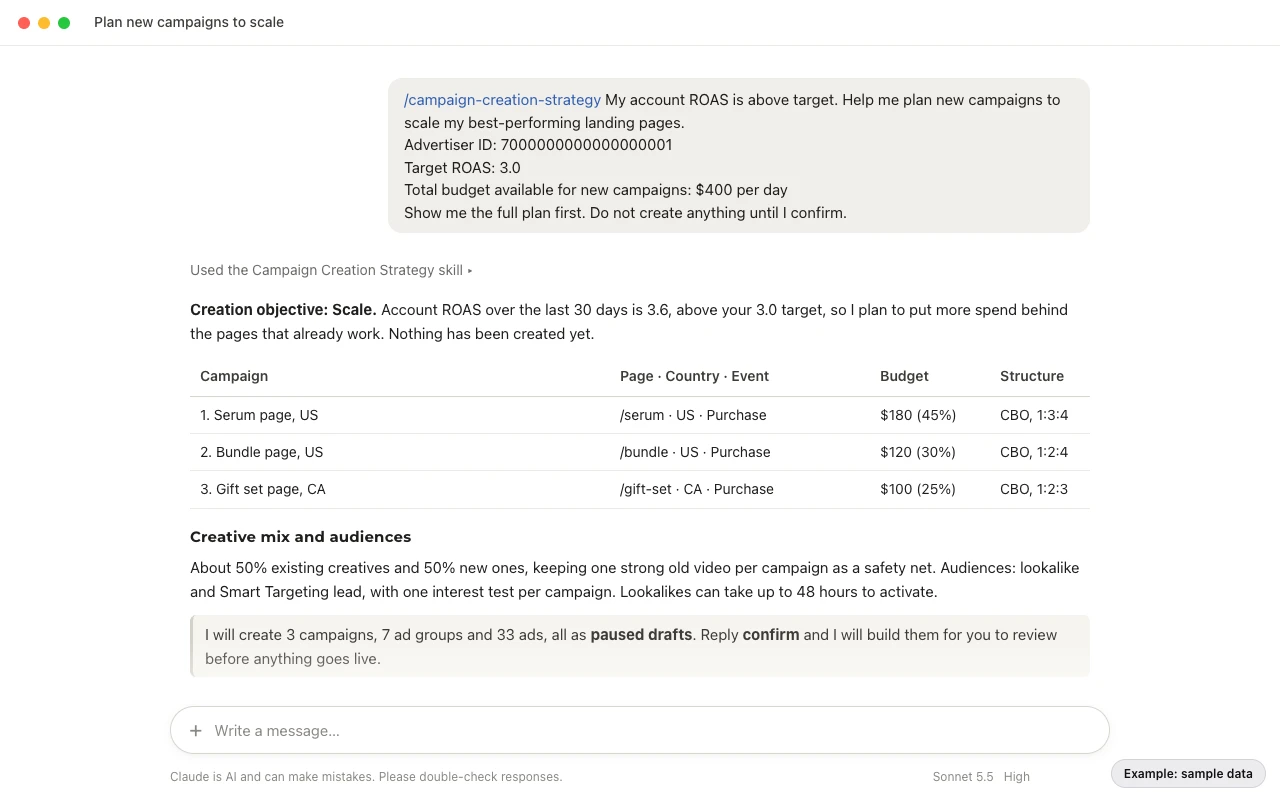
My account ROAS is above target. Help me plan new campaigns to scale my best-performing landing pages.
Advertiser ID: [your advertiser ID]
Target ROAS: [number]
Total budget available for new campaigns: [amount per day]
Show me the full plan first. Do not create anything until I confirm.
You get: A creation objective with reasons, chosen page, country and event combinations, budget split, structure, creative mix, audience settings and ad copy, then a request for your confirmation.
Retest a new direction
Results are falling across my campaigns and I want to test new creative directions.
Advertiser ID: [your advertiser ID]
Target: [your KPI]
Budget for testing: [amount per day]
Plan it and wait for my confirmation before creating anything.
You get: A retest plan with new creatives as the main part, interest targeting for new audience tests and a paused-draft build after you confirm.
Launch a new product
I want to launch ads for a new product on TikTok.
Advertiser ID: [your advertiser ID]
Product page: [link]
Target: [your KPI]
Test budget: [amount per day]
Show me the plan first and create only paused drafts after I confirm.
You get: Product details and KPI confirmation, a suggested optimization event, an all-new creative plan with broad audiences and paused drafts across campaign, ad group and ad.
Choose your AI assistant, then follow the video to add this skill to it step by step.
Ready to try Plan your next TikTok campaigns from your past results?
Source: from TikTok Agentic Hub