Decide which ad channels to use and how to split the budget
Give your goal, budget and channels and get a role for each channel, a budget and bidding plan, a test matrix and clear rules for when to scale or stop.
Updated
- Free
- Ready in one click
- Works in a plain chat
- 1
Download skill
Click the button
- 2
Add to your assistant
A few steps below
- 3
Paste a prompt
Fill in, get your answer
From guesswork to a clear answer
You get a role for each channel based on where the customer is in the funnel.
Before: You advertise on several platforms and do not know what each is for.
You get a budget and bidding plan and a test matrix for what to try first.
Before: Your budget is fixed and results slipped.
You get written scale, hold and stop rules before you spend.
Before: You never know when to push harder or cut a campaign.
Made for
- Marketers with a fixed monthly ad budget
- Teams deciding between TikTok, Meta, Google and other channels
- Anyone who needs a one-page plan to share
Not made for
- People who want the skill to launch or edit campaigns
- Anyone who wants a plan with no goal or budget to start from
What you need
- AI assistantAn AI assistant that lets you add skills.
- Your numbersYour goal and the metric that matters most (for example ROAS or cost per sale), a test budget and a scale budget, and the channels you are considering.
- Optional extra · optionalAudience groups, the creative you already have, seasonal timing and any policy limits for your product. They make the plan more specific.
Replace the [brackets] with your own details, then paste it into your AI assistant.
Build my channel plan
Plan my media strategy.
Goal and main metric: [for example improve ROAS]
Test budget: [amount]
Scale budget: [amount]
Channels to consider: [TikTok Ads, Meta, Google Ads...]
Creative I have: [video, images...]
You get: A strategy snapshot, a role for each channel, a budget and bidding plan, a test matrix and scale and stop rules.
Reset after a bad stretch
My ROAS dropped for two weeks on a fixed budget. Help me reset the channel mix.
Budget: [amount]
Current split by channel: [list]
ROAS by channel then and now: [numbers]
You get: A reallocation plan, what to test first and stop-loss conditions.
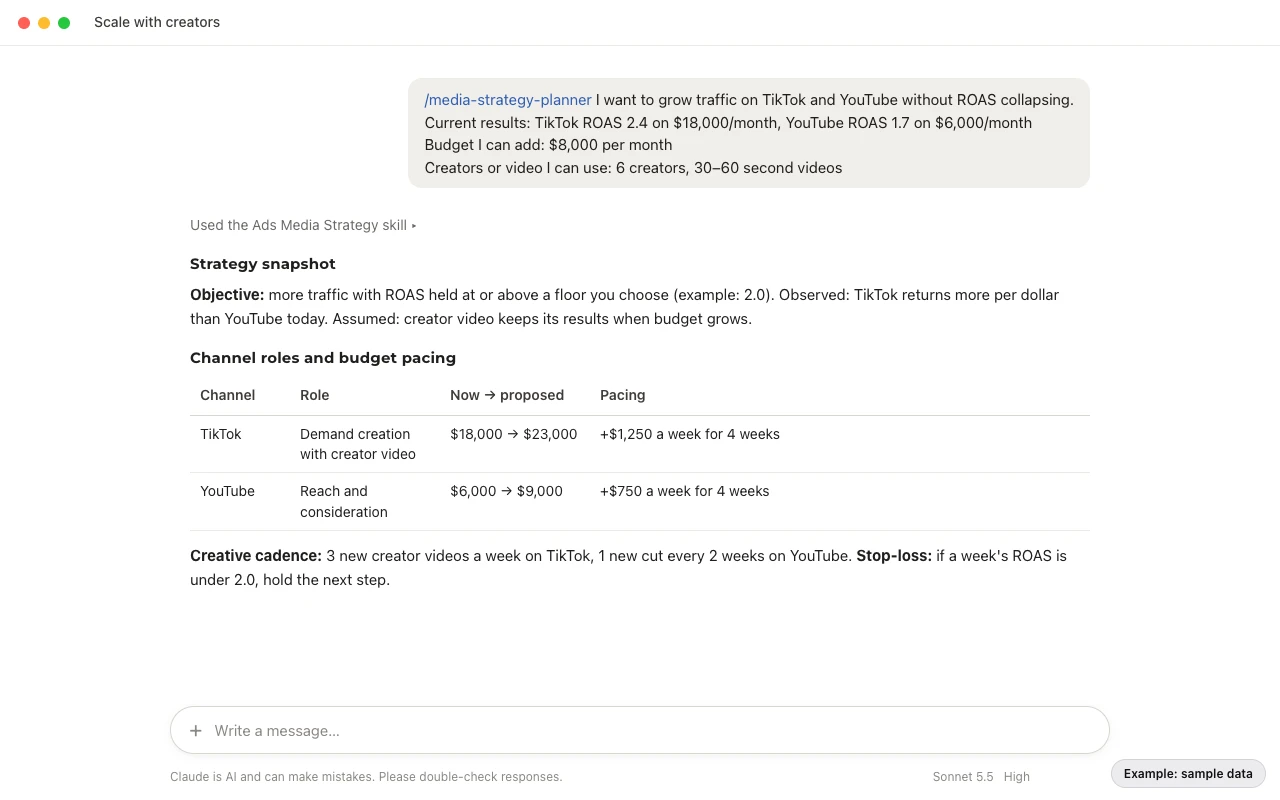
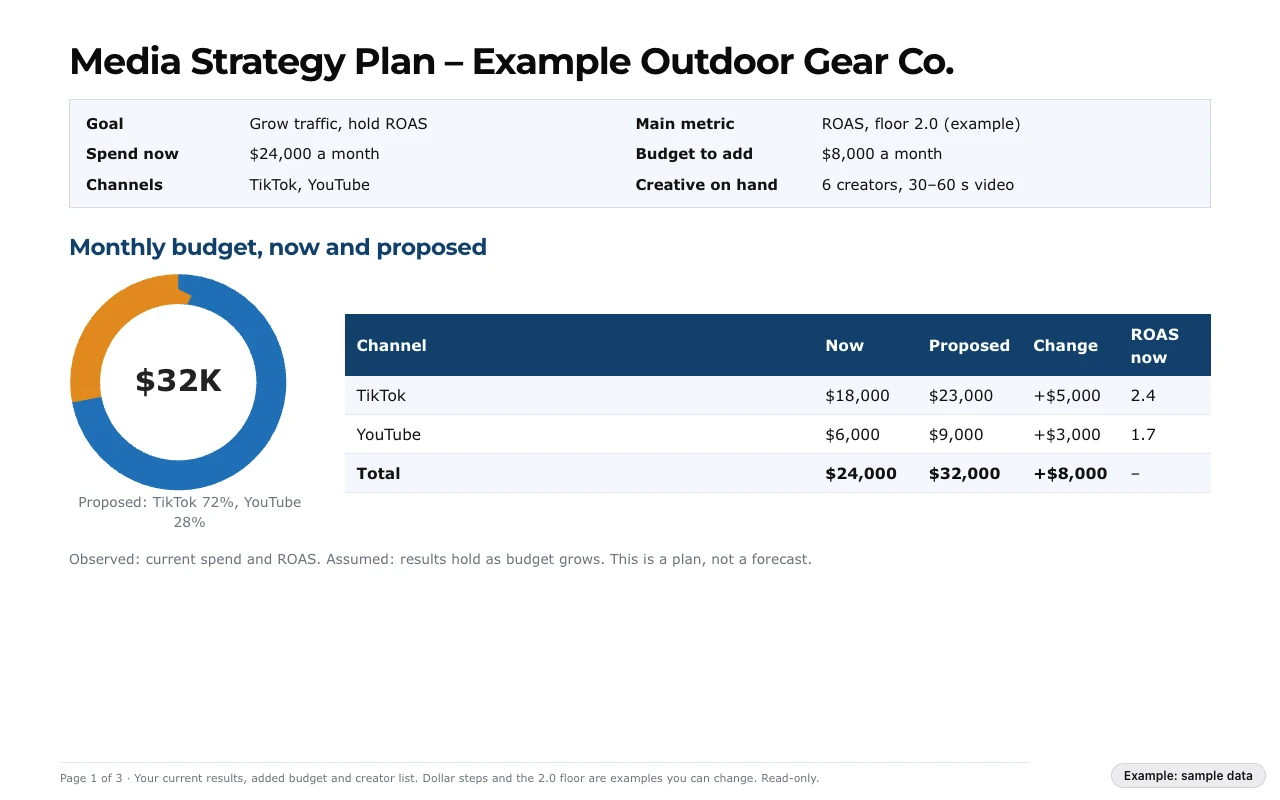
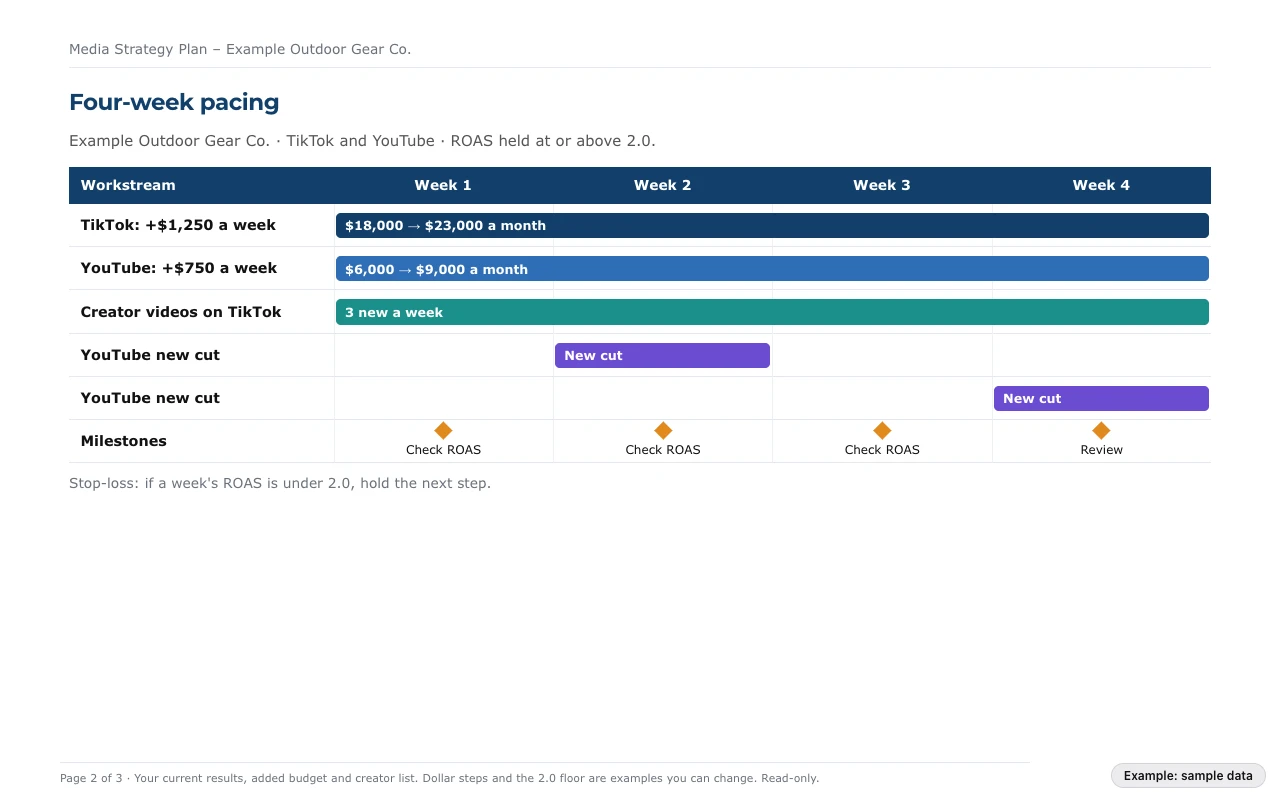
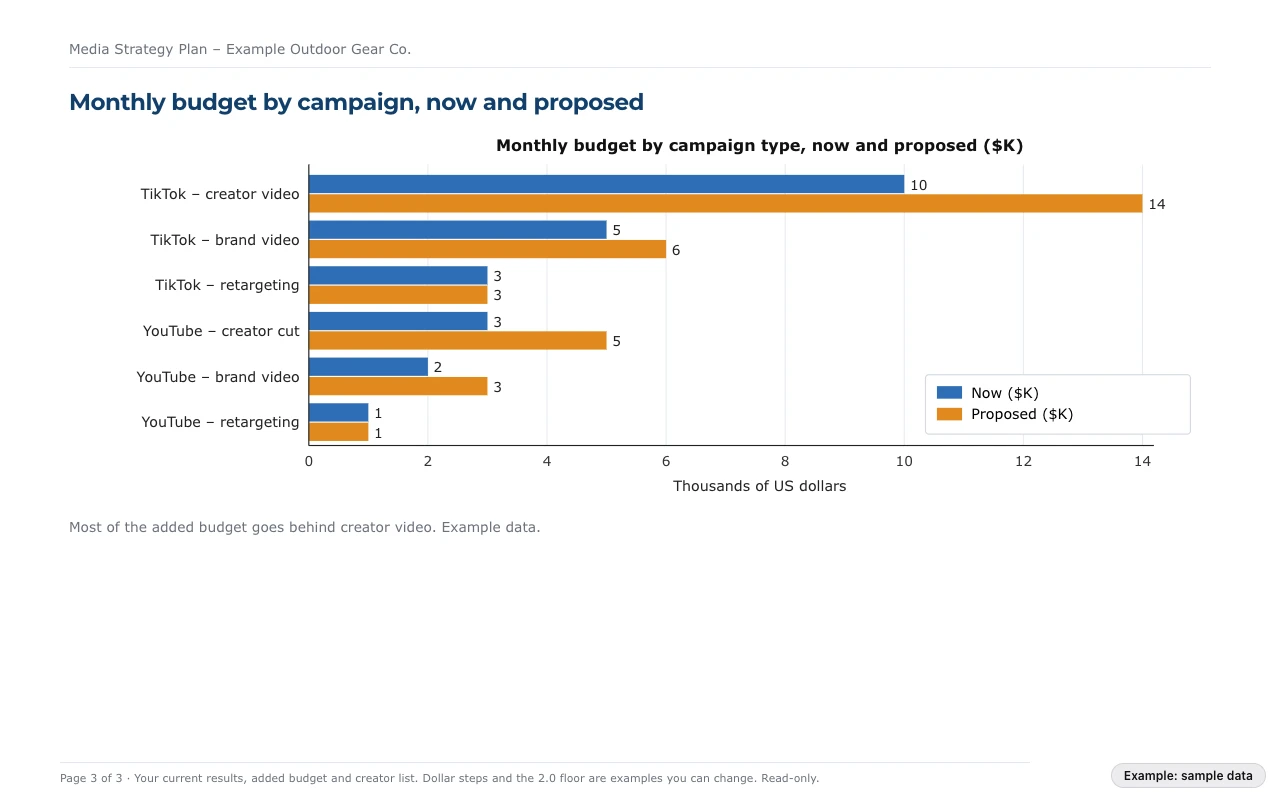
Scale with creators
I want to grow traffic on TikTok and YouTube without ROAS collapsing.
Current results: [numbers]
Budget I can add: [amount]
Creators or video I can use: [describe]
You get: How to split the roles of each channel, how to pace the budget and how often to refresh creative.
Choose your AI assistant, then follow the video to add this skill to it step by step.
Ready to try Decide which ad channels to use and how to split the budget?
Source: from TikTok Agentic Hub