Settle the attribution argument before you move budget
Paste each channel's results under different attribution windows and get a clear view of where they disagree, what is safe to act on and how to test the rest.
Updated
- Free
- Ready in one click
- Works in a plain chat
- 1
Download skill
Click the button
- 2
Add to your assistant
A few steps below
- 3
Paste a prompt
Fill in, get your answer
From guesswork to a clear answer
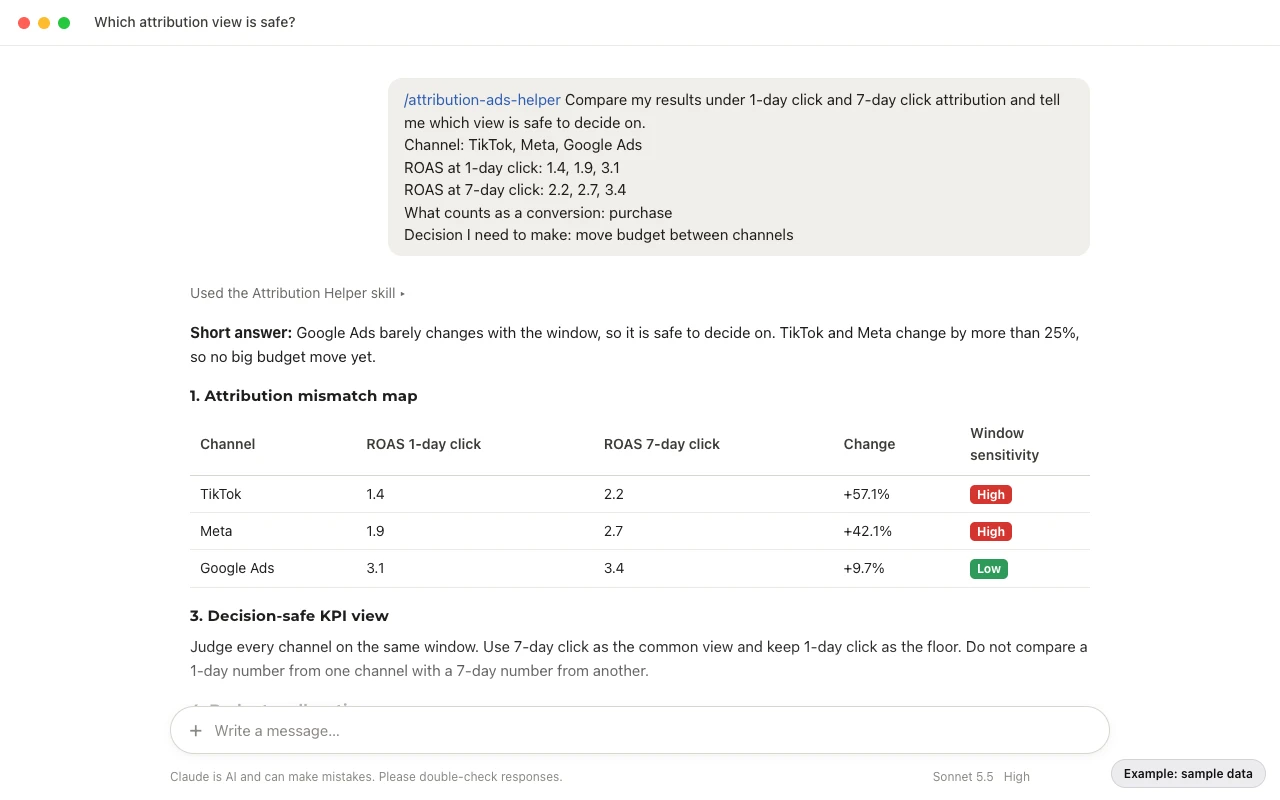
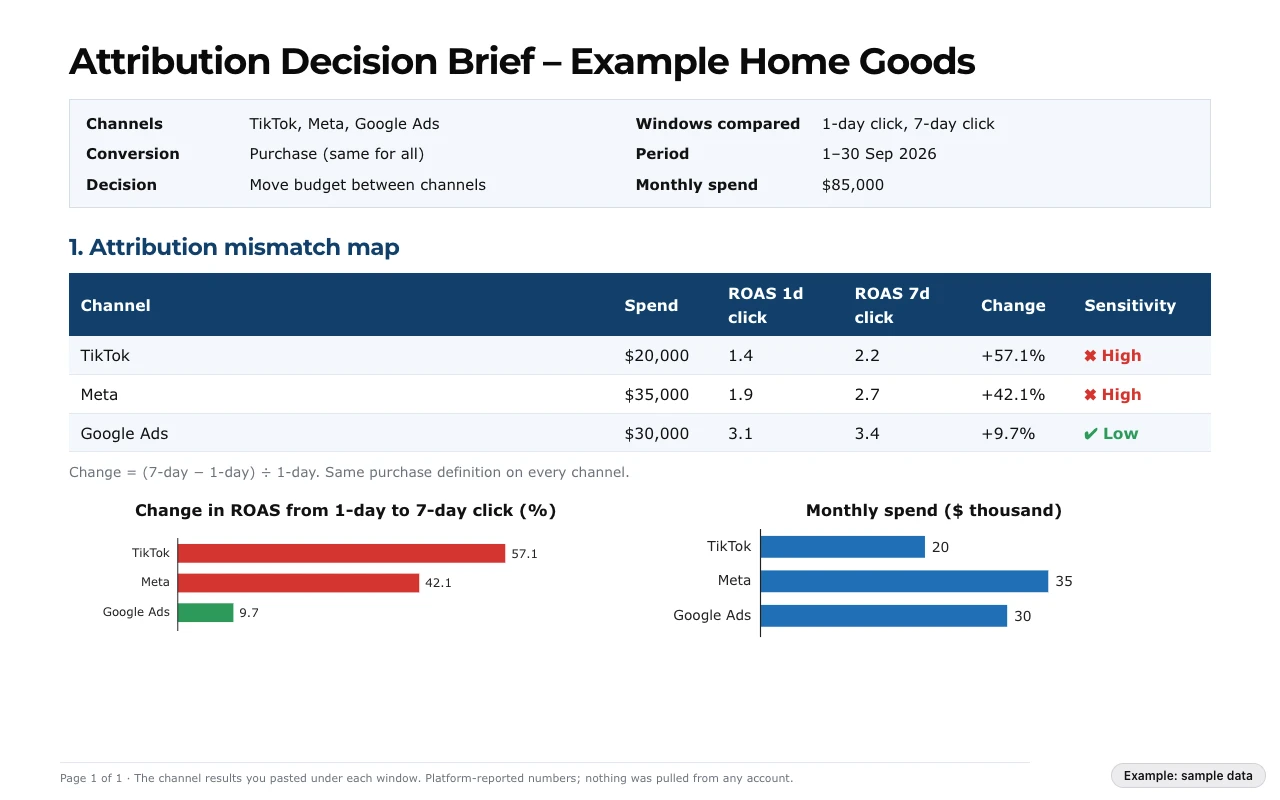
You get a map of where the channels disagree and by how much.
Before: TikTok, Meta and Google each claim credit for the same sales.
You see how each window changes your results, and which view is safe to decide on.
Before: The team argues over a 1-day or 7-day window.
You get a reallocation suggestion with a confidence label, plus experiments to settle what is left.
Before: You have to move budget without knowing what is real.
Made for
- Marketers who run ads on more than one platform
- Teams whose ROAS or CPA differs between the ad platform and analytics
- Anyone who must justify a budget shift with numbers
Not made for
- People who run ads on a single channel with no reporting conflicts
- Anyone who wants the skill to pull numbers from their accounts: you paste them
What you need
- AI assistantAn AI assistant that lets you add skills.
- Your numbersResults for each channel under each attribution window you use (for example 1-day click and 7-day click), how you define a conversion, and the decision you have to make. An attribution window is how long after an ad click or view a sale is still credited to that ad.
- Optional extra · optionalOffline sales, holdout or incrementality test results, or lifetime-value figures. They make the advice stronger. Paste what you have.
Replace the [brackets] with your own details, then paste it into your AI assistant.
Compare two windows
Compare my results under 1-day click and 7-day click attribution and tell me which view is safe to decide on.
Channel: [TikTok, Meta, Google Ads]
ROAS at 1-day click: [number]
ROAS at 7-day click: [number]
What counts as a conversion: [purchase, lead...]
Decision I need to make: [for example move budget between channels]
You get: A comparison table, how much the window changes the result and a safe way to decide.
Conflicting channels
Two platforms report different results for the same period and I need to decide where to put budget.
Period: [dates]
Channel A reports: [spend, conversions, ROAS]
Channel B reports: [spend, conversions, ROAS]
My own analytics shows: [numbers]
You get: A map of the mismatch, budget options and a risk label for each.
Use my test result
I ran a holdout test and want to update my budget plan.
Test result: [describe, for example sales with and without ads]
Current budget by channel: [list]
Current attribution view: [window and model]
You get: The test result reconciled with your platform numbers and an updated budget suggestion with confidence.
Choose your AI assistant, then follow the video to add this skill to it step by step.
Ready to try Settle the attribution argument before you move budget?
Source: from TikTok Agentic Hub