Check your tracking is ready before you spend on ads
Describe your pixel setup and recent events and get a ranked list of what is missing or risky, how to fix it and what to keep watching.
Updated
- Free
- Ready in one click
- Works in a plain chat
- 1
Download skill
Click the button
- 2
Add to your assistant
A few steps below
- 3
Paste a prompt
Fill in, get your answer
From guesswork to a clear answer
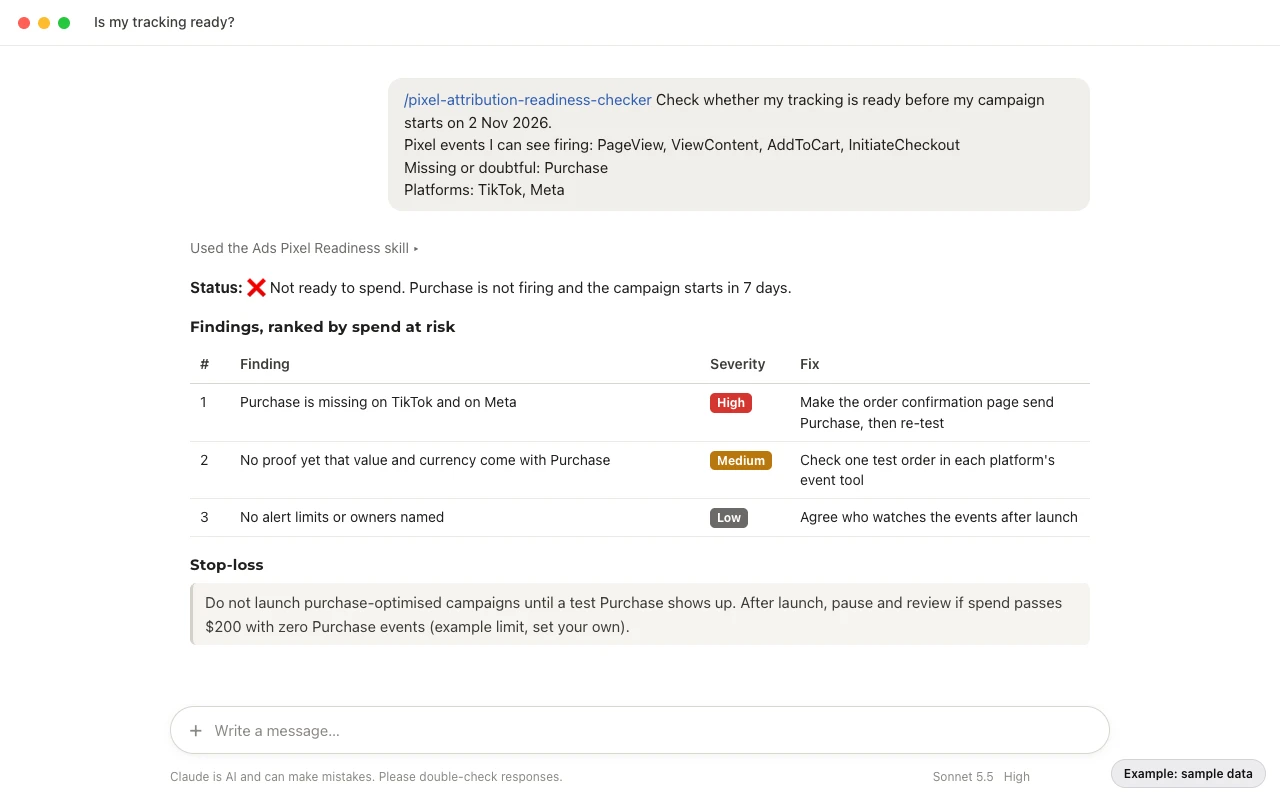
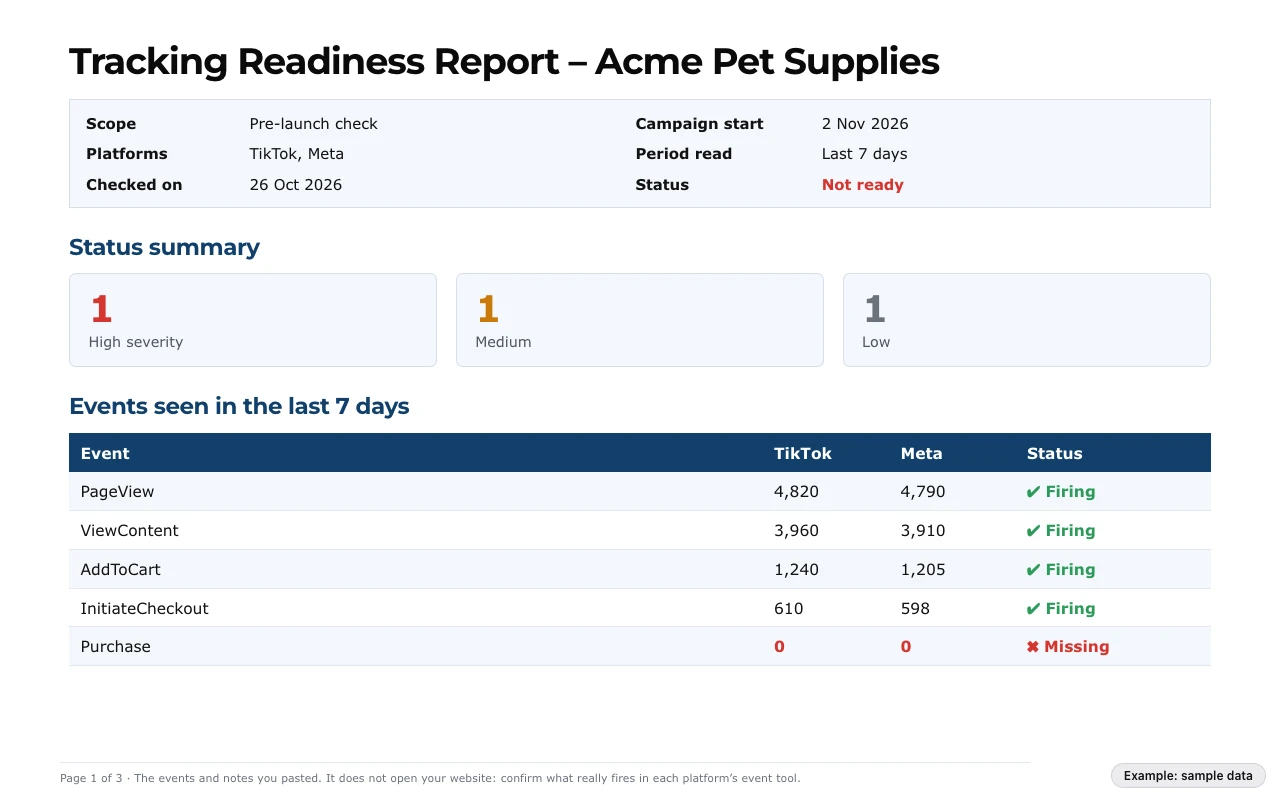
You get tracking gaps ranked by how much spend they put at risk, with quick fixes and a relaunch checklist.
Before: You are about to launch and you are not sure the Purchase event works.
You get a step-by-step triage, quick ways to limit the damage and likely causes in the order to check them.
Before: Spend goes up but sales do not.
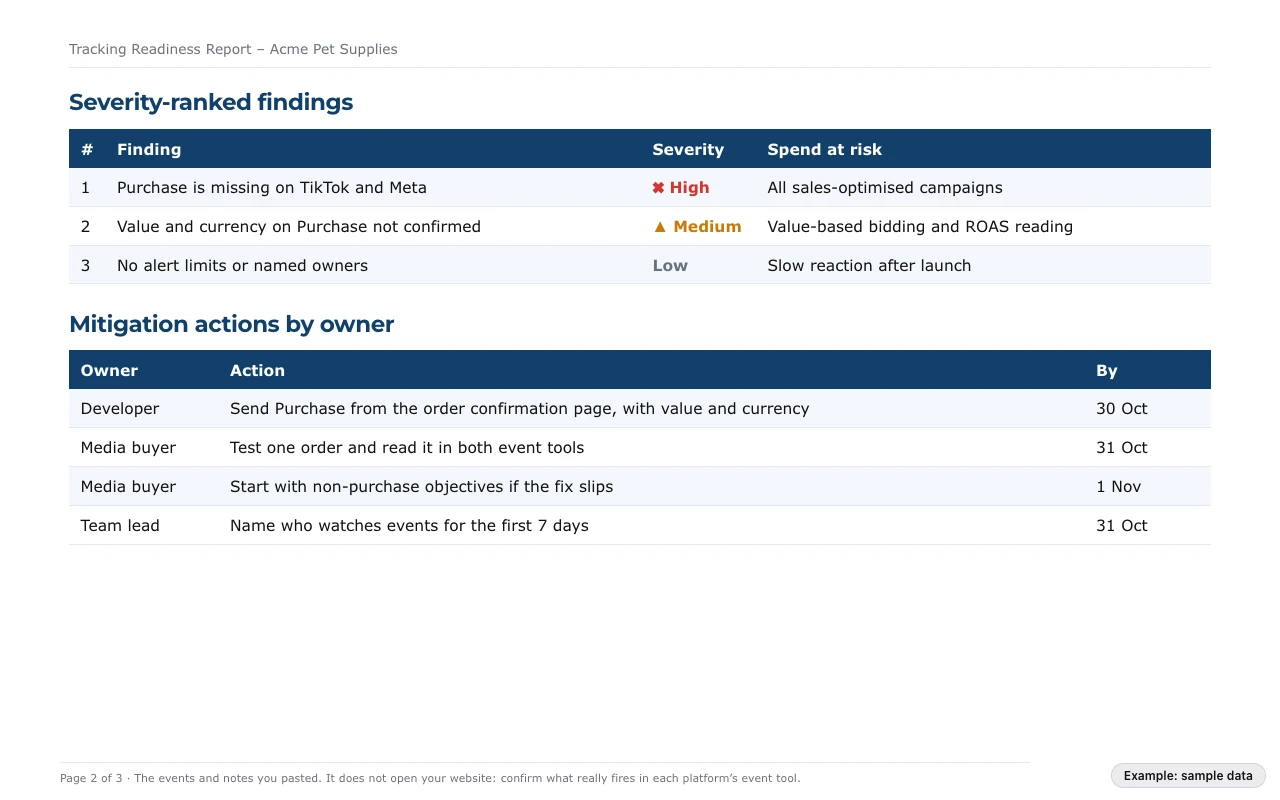
You get an action list by owner, a ticket-style summary for a developer and a monitoring checklist.
Before: Fixes get lost across chats and emails.
Made for
- Advertisers about to launch or relaunch campaigns
- Store owners whose conversions look wrong
- Media buyers handing a tracking problem to a developer
Not made for
- People who expect the skill to check their website itself: it reasons from what you paste
- Anyone who needs it to change settings in their ad account
What you need
- AI assistantAn AI assistant that lets you add skills.
- Your numbersWhich account, campaign or ad you are checking, what you want checked (a launch check, an audit or a problem) and the time period. A pixel is a small piece of code on your site that reports visitor actions to an ad platform.
- Optional extra · optionalA list or screenshot of the events you see, alert limits and who owns what. Paste what you have; never share logins.
Replace the [brackets] with your own details, then paste it into your AI assistant.
Pre-launch check
Check whether my tracking is ready before my campaign starts on [date].
Pixel events I can see firing: [list]
Missing or doubtful: [for example Purchase]
Platforms: [TikTok, Meta, Google Ads]
You get: A status summary, findings ranked by risk, fixes and a relaunch checklist.
Review my events
Review these events for tracking gaps and rank the fixes by severity.
Period: [dates]
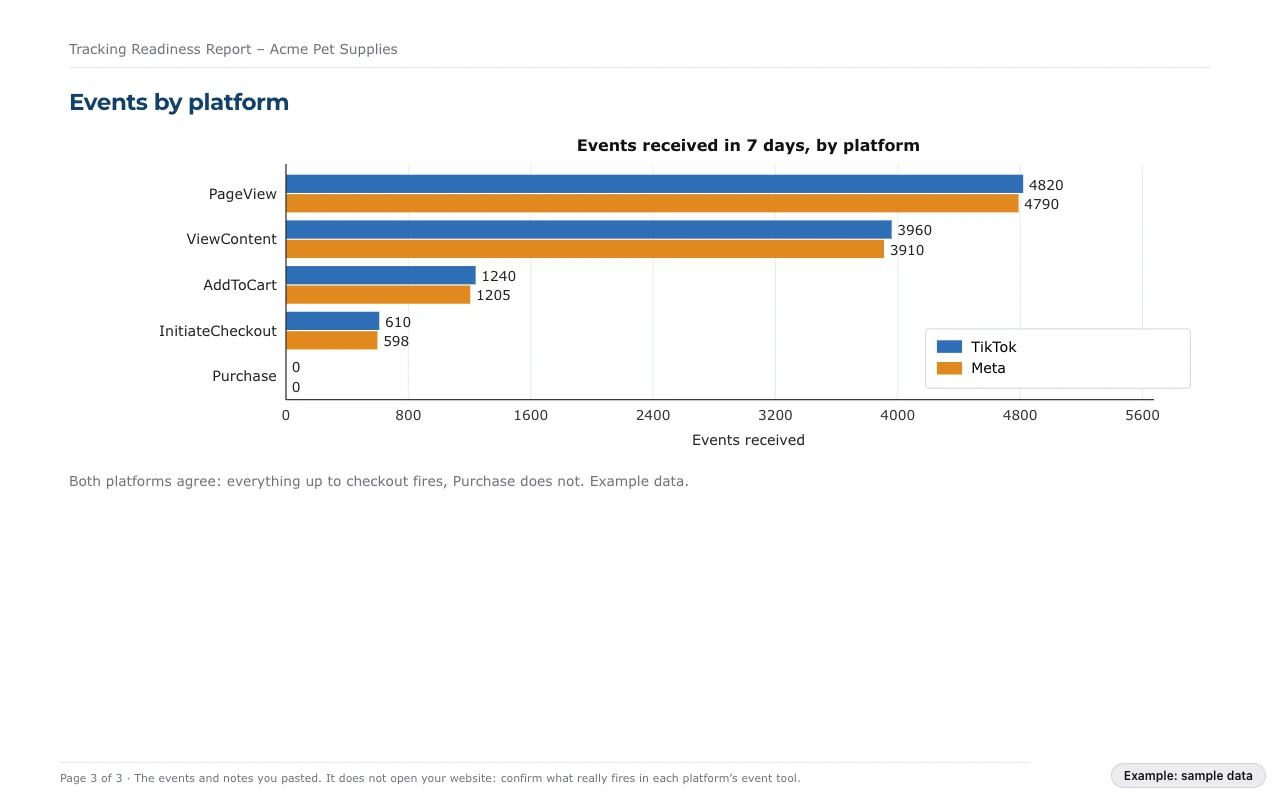
Events: [paste the list or the count per event]
You get: Findings ranked by severity and actions to fix them.
Spend without sales
My spend went up but conversions did not. Help me find out why and give me a checklist to validate my attribution.
Period: [dates]
Spend: [then and now]
Conversions: [then and now]
Campaigns affected: [list]
You get: A triage path, ways to limit the damage, likely causes in the order to check and a ticket-style summary.
Choose your AI assistant, then follow the video to add this skill to it step by step.
Ready to try Check your tracking is ready before you spend on ads?
Source: from TikTok Agentic Hub