Check your TikTok ad link tracking (UTM) before you launch
Paste your ad's link and UTM settings and get a clear verdict: what is wrong, what to adjust and what is fine.
Updated
- Free
- Ready in one click
- Works in a plain chat
- 1
Download skill
Click the button
- 2
Add to your assistant
A few steps below
- 3
Paste a prompt
Fill in, get your answer
From guesswork to a clear answer
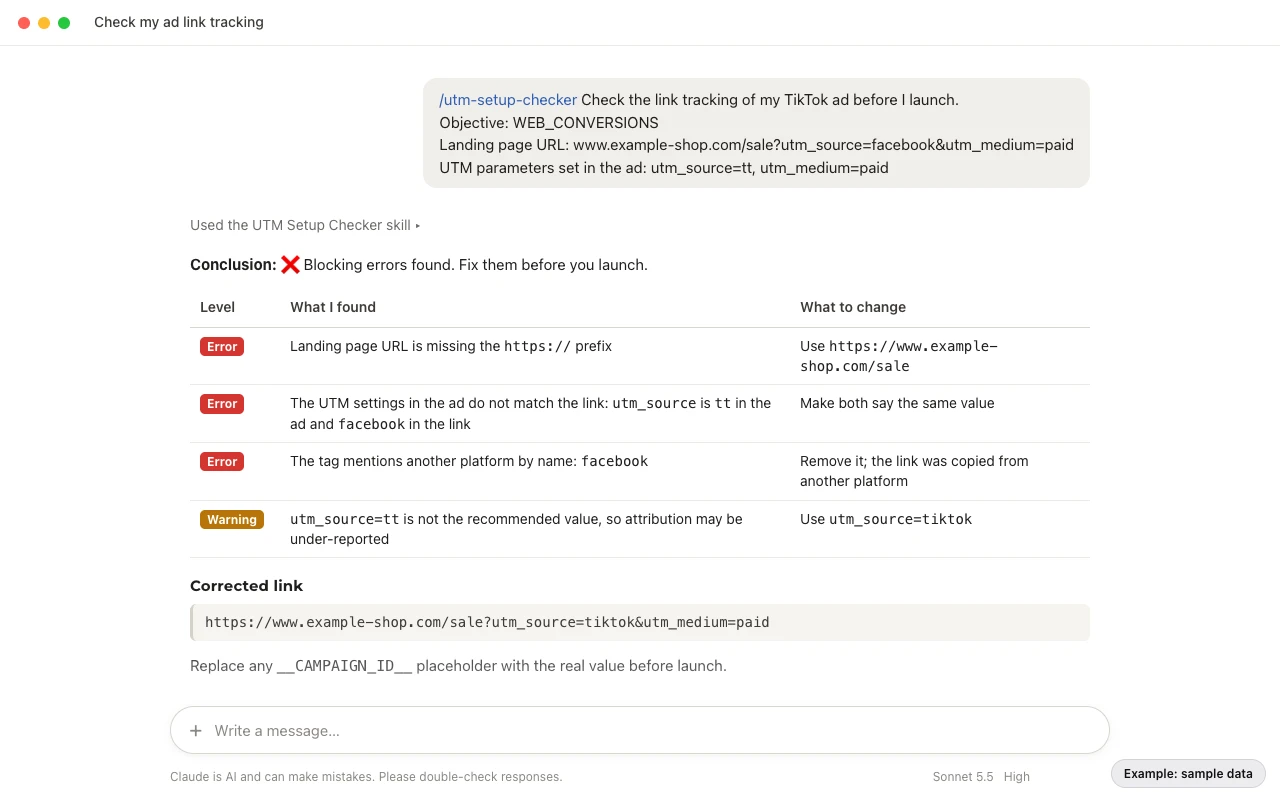
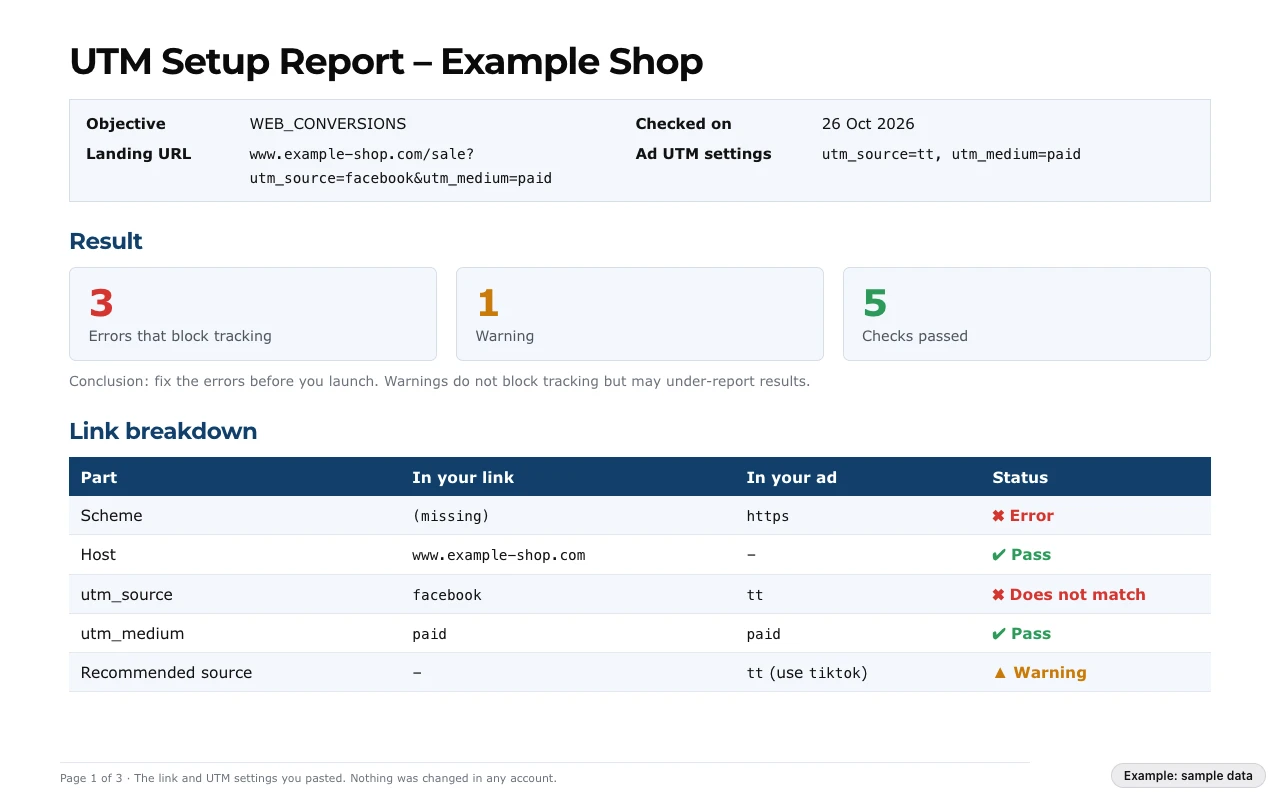
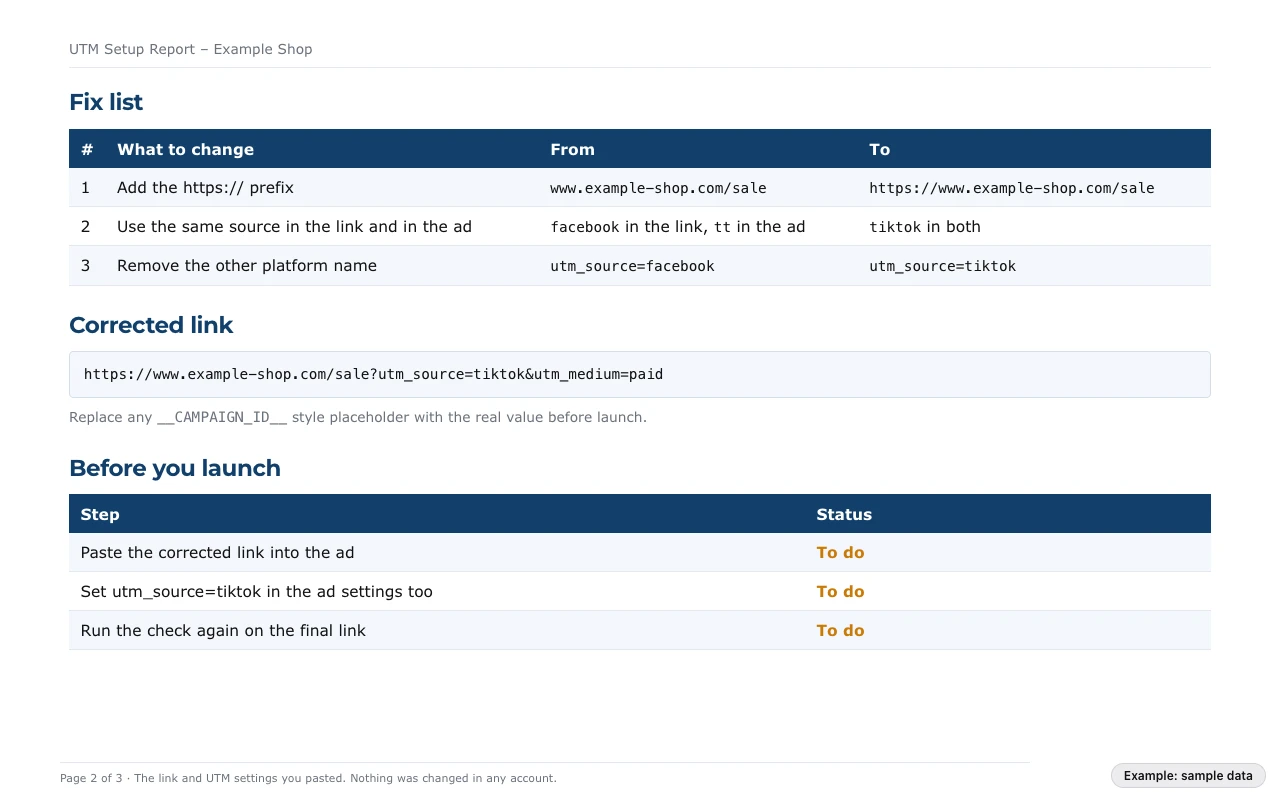
You get errors that would block tracking, such as a missing https:// or a stray ?, flagged before launch.
Before: You are not sure your ad links are written correctly.
You see whether the UTM settings in your ad match the ones in your link, and warnings when a value differs from the recommended one.
Before: Your results do not match across tools.
You get an alert when your tags mention other platforms by name.
Before: A link was copied from another platform.
Made for
- Advertisers who run web conversion campaigns
- Teams who run app retargeting campaigns
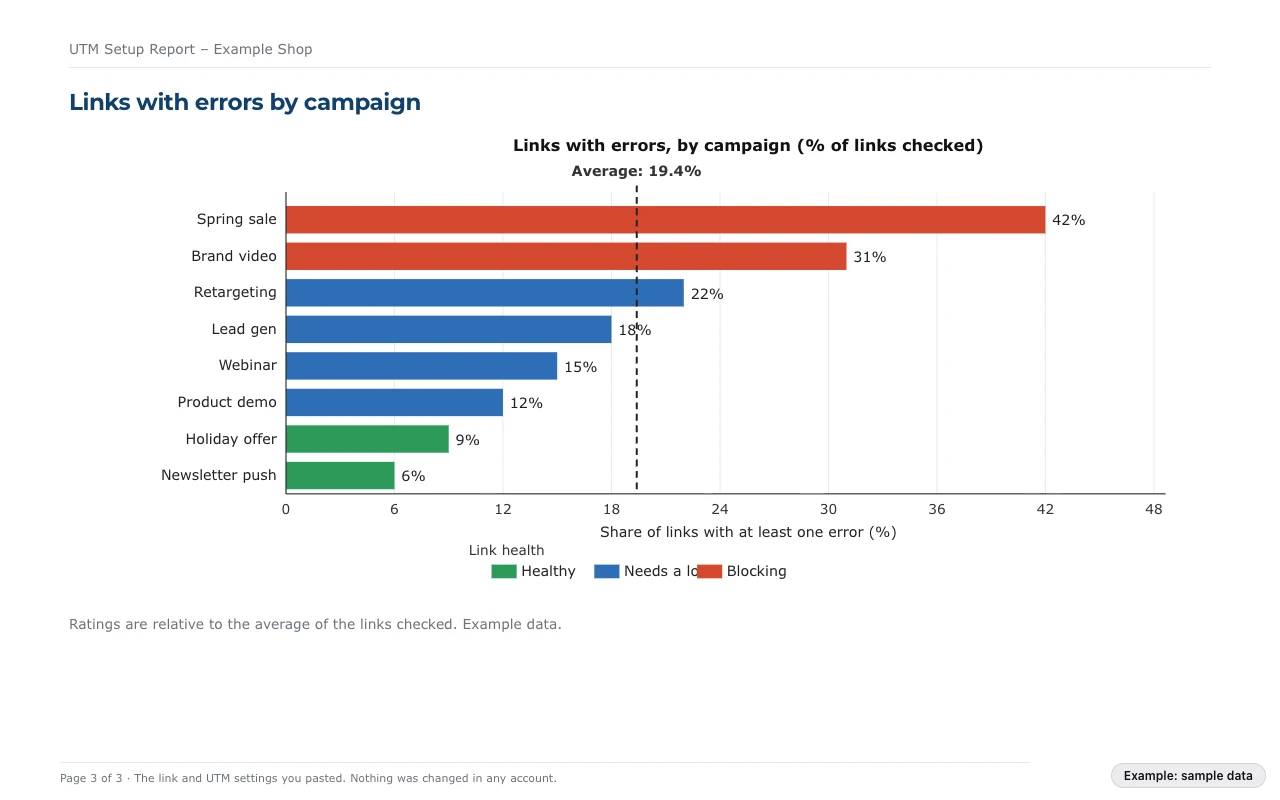
- Anyone chasing an attribution gap
Not made for
- People with other campaign types: the skill checks only web conversion campaigns and app retargeting campaigns
What you need
- AI assistantAn AI assistant that lets you add skills.
- Your numbersYour landing page link, the UTM settings in your ad, and the campaign objective (web conversions, or app promotion with app retargeting). For app campaigns, also your deep link and its UTM settings. UTM settings are tags added to a link, like utm_source=tiktok, so your analytics tool knows where a visit came from.
- Optional extra · optionalName the skill (UTM Setup Checker) at the start of your message so your assistant uses it.
Replace the [brackets] with your own details, then paste it into your AI assistant.
Check my links
Use the UTM Setup Checker skill.
Objective: [WEB_CONVERSIONS]
Landing page URL: [full link]
UTM parameters set in the ad: [for example utm_source=tiktok, utm_medium=paid]
You get: A conclusion, the problems found (errors and warnings) and what to change.
My results do not match
Use the UTM Setup Checker skill. My results do not match in my analytics tool and I think the link setup is wrong.
Objective: [WEB_CONVERSIONS]
Landing page URL: [full link]
UTM parameters set in the ad: [list]
You get: What is wrong with the link or the UTM settings, and what to adjust.
App retargeting
Use the UTM Setup Checker skill.
Objective: APP_PROMOTION
App promotion type: APP_RETARGETING
Landing page URL: [full link]
Deep link: [deep link]
UTM parameters: [list]
Deep link UTM parameters: [list]
You get: A check of both links and both sets of UTM settings.
Choose your AI assistant, then follow the video to add this skill to it step by step.
Ready to try Check your TikTok ad link tracking (UTM) before you launch?
Source: from TikTok Agentic Hub