Check your Smart+ campaigns against five best practices
A read-only health check of your Smart+ campaigns: creatives, budget, bids and learning period, with manual next steps.
Updated
- Free
- Ready in one click
- Needs a TikTok Ads connection
- 1
Download skill
Click the button
- 2
Add to your assistant
A few steps below
- 3
Paste a prompt
Fill in, get your answer
From guesswork to a clear answer
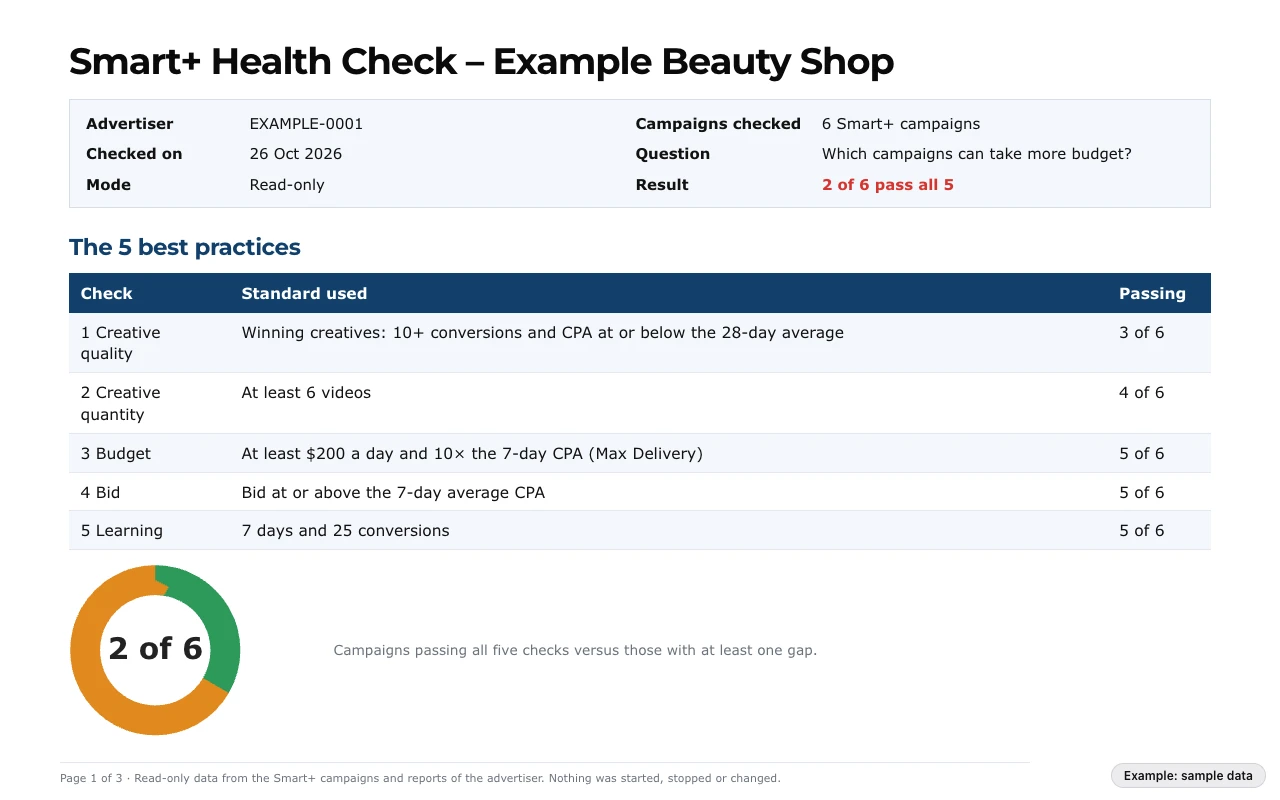
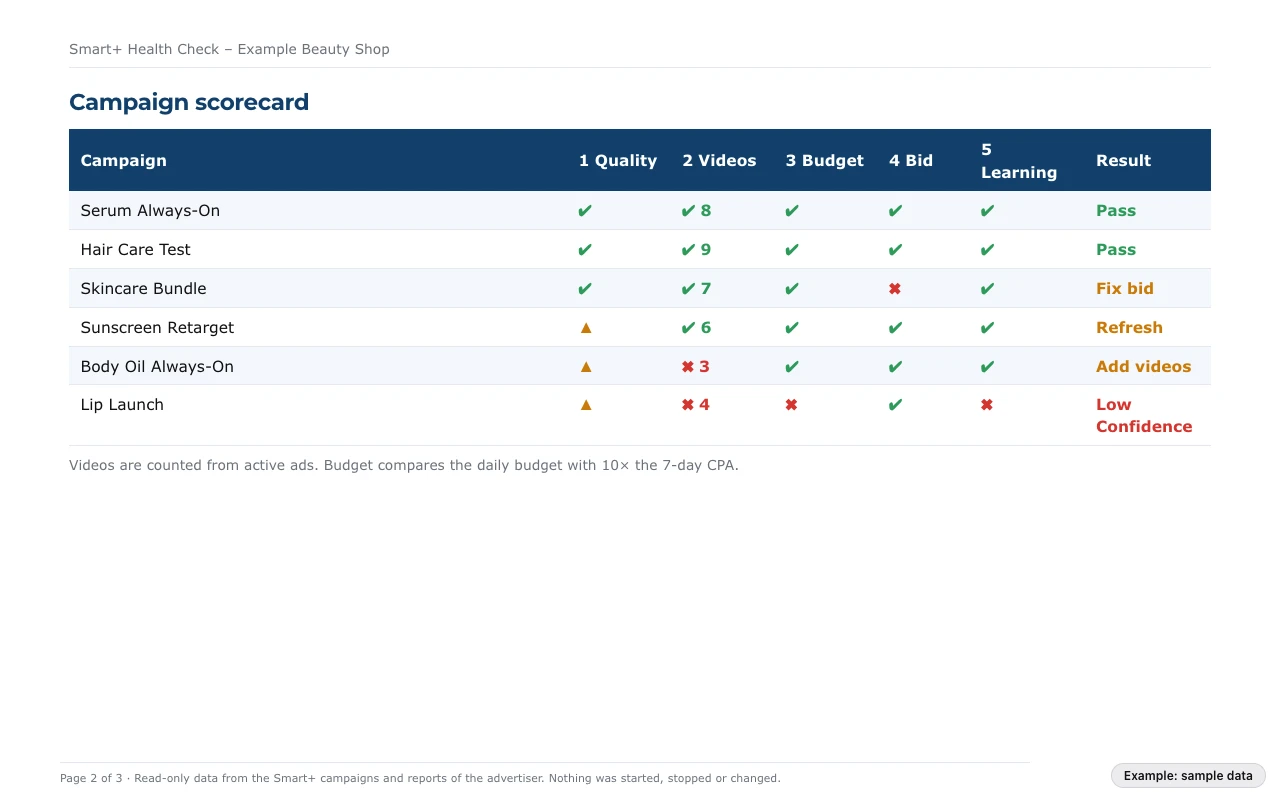
You see which Smart+ campaigns miss the checks on budget, bid, creatives or learning period.
Before: Your cost per result is rising and you cannot tell which campaign is the cause.
You get a count of active videos and a check for tired creatives, with suggestions to refresh or add some.
Before: You are unsure if you have enough creatives, or if they are wearing out.
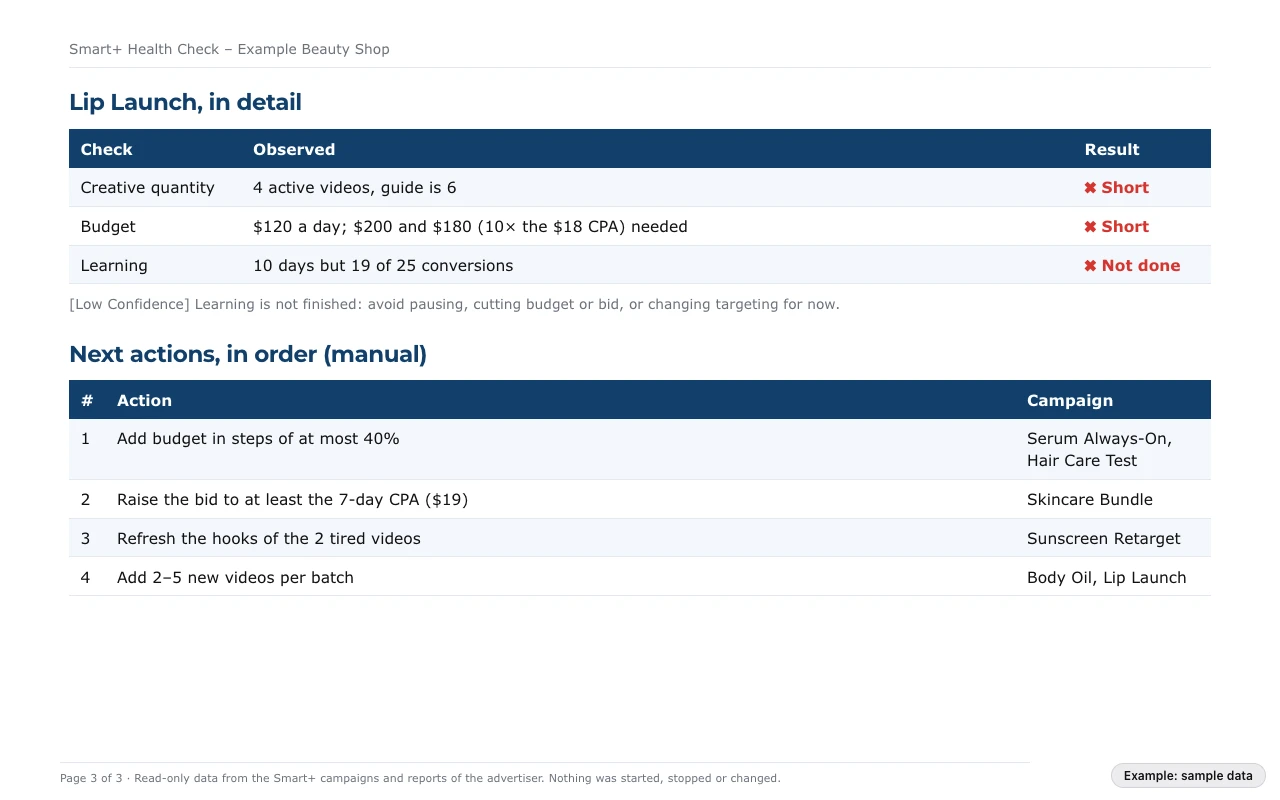
You get campaigns that passed the learning period and run steady, and those with setup risks to fix first.
Before: You want to add budget but do not know which campaigns are safe to scale.
Made for
- Advertisers running Smart+ (upgraded Smart+ campaigns) on TikTok
- Teams doing a setup check one to three days after launch
- Advertisers reviewing a campaign after the learning period, before adding budget
Not made for
- People who do not use Smart+ campaigns: other campaign types are out of scope
- Anyone who wants the skill to change bids, budgets or creatives for them
What you need
- AI assistantAn AI assistant that lets you add skills.
- Account or accessA connection between your AI assistant and your TikTok Ads account that can read Smart+ campaigns, ads and performance reports. The skill is read-only: it does not start, stop or change campaigns, budgets, bids or creatives. Ecomdy can help you set up the connection.
- Your numbersYour TikTok advertiser ID, and what you want checked, for example rising cost per result, creative health, or which campaigns are ready for more budget. Use the skill name in your prompt.
Replace the [brackets] with your own details, then paste it into your AI assistant.
Why is my cost rising?
Run the smart-plus-best-practice-skill for advertiser_id [your advertiser ID]. My cost per result (CPA) has been rising lately. Check whether my budget and bid or ROAS targets follow best practices and tell me which campaigns are dragging results down. Please answer in English.
You get: A one-sentence conclusion, three to five pieces of evidence and manual next actions.
Creative health check
Run the smart-plus-best-practice-skill for advertiser_id [your advertiser ID]. Do my Smart+ campaigns have enough creatives? Are any creatives worn out, and could that slow the learning period? Please answer in English.
You get: Creative count per campaign against the 6-video guide, fatigue findings and suggestions to refresh or add videos.
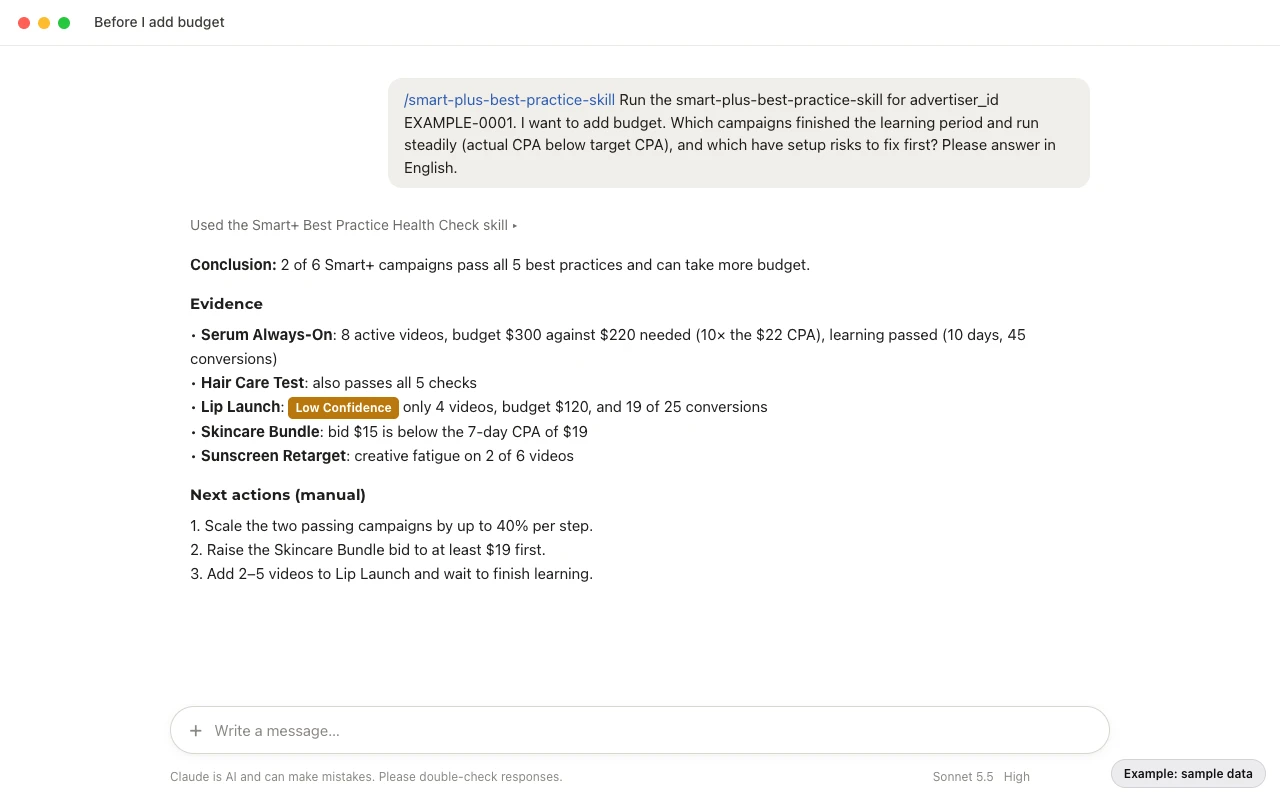
Before I add budget
Run the smart-plus-best-practice-skill for advertiser_id [your advertiser ID]. I want to add budget. Which campaigns finished the learning period and run steadily (actual CPA below target CPA), and which have setup risks to fix first? Please answer in English.
You get: Campaigns that pass the checks, those with configuration risks, and a Low Confidence label if the learning period is not finished.
Choose your AI assistant, then follow the video to add this skill to it step by step.
Ready to try Check your Smart+ campaigns against five best practices?
Source: from TikTok Agentic Hub