Check your Product GMV Max setup and why GMV or ROI changed
Reads your TikTok Ads account to check Product GMV Max readiness, available posts and what changed in your reports.
Updated
- Free
- Ready in one click
- Needs a TikTok Ads connection
- 1
Download skill
Click the button
- 2
Add to your assistant
A few steps below
- 3
Paste a prompt
Fill in, get your answer
From guesswork to a clear answer
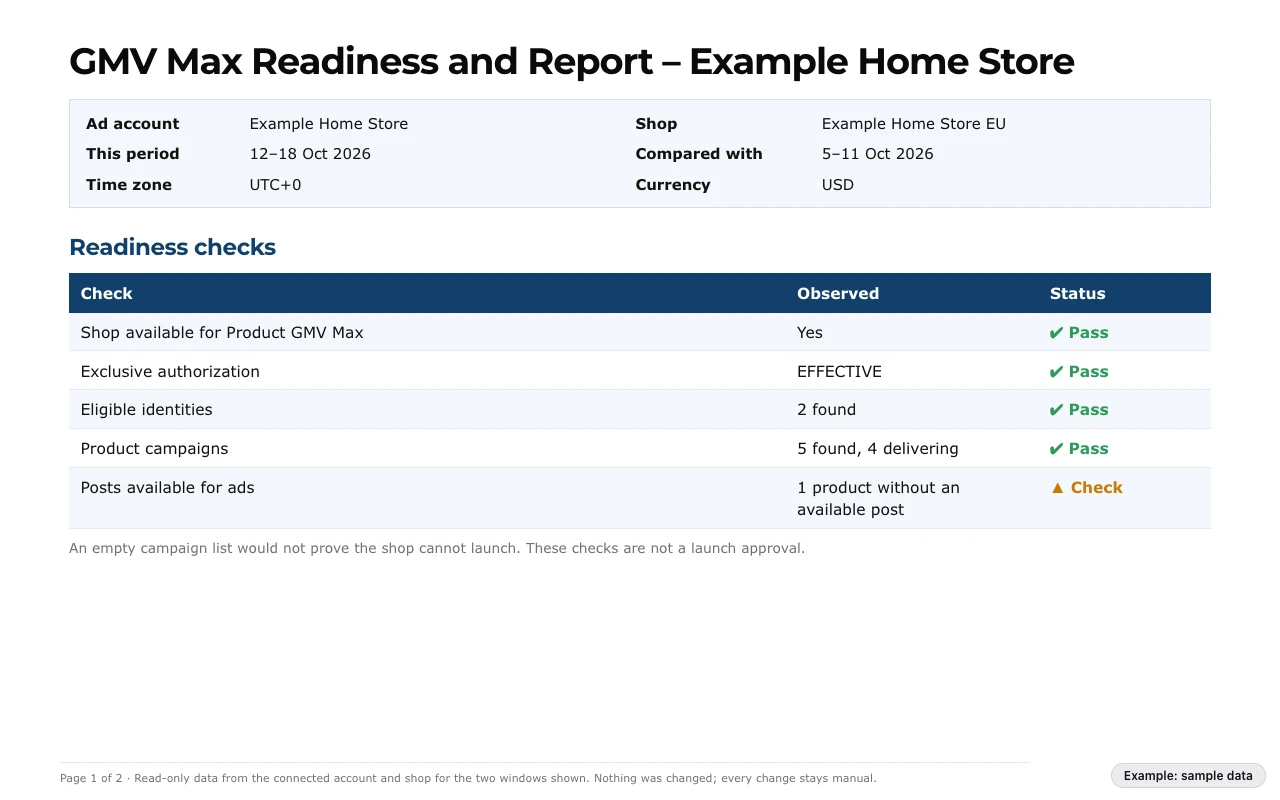
You get shop authorization, identity and campaign status checked, with each blocker named.
Before: You are not sure your shop can start Product GMV Max ads.
You get the supported post and authorization gaps, or a clear note of what could not be checked.
Before: Your product videos do not show up as ad content and you do not know why.
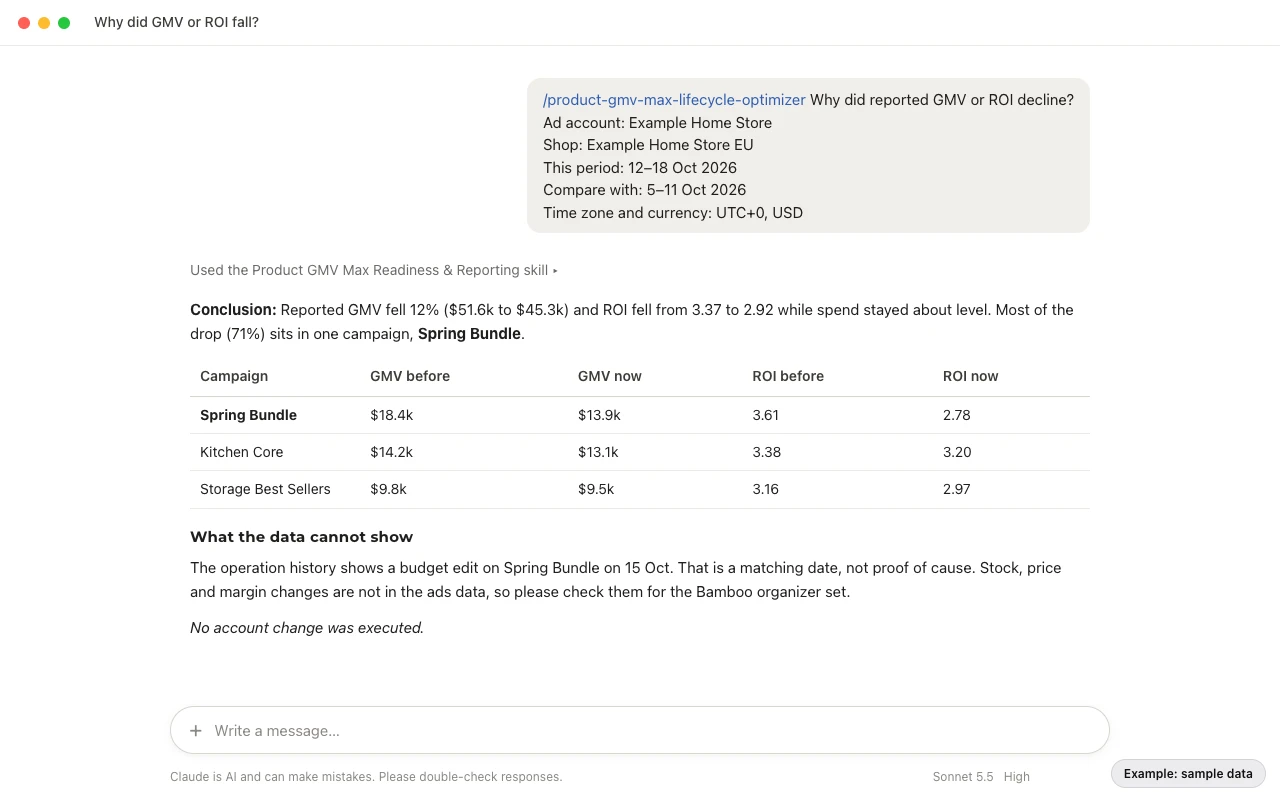
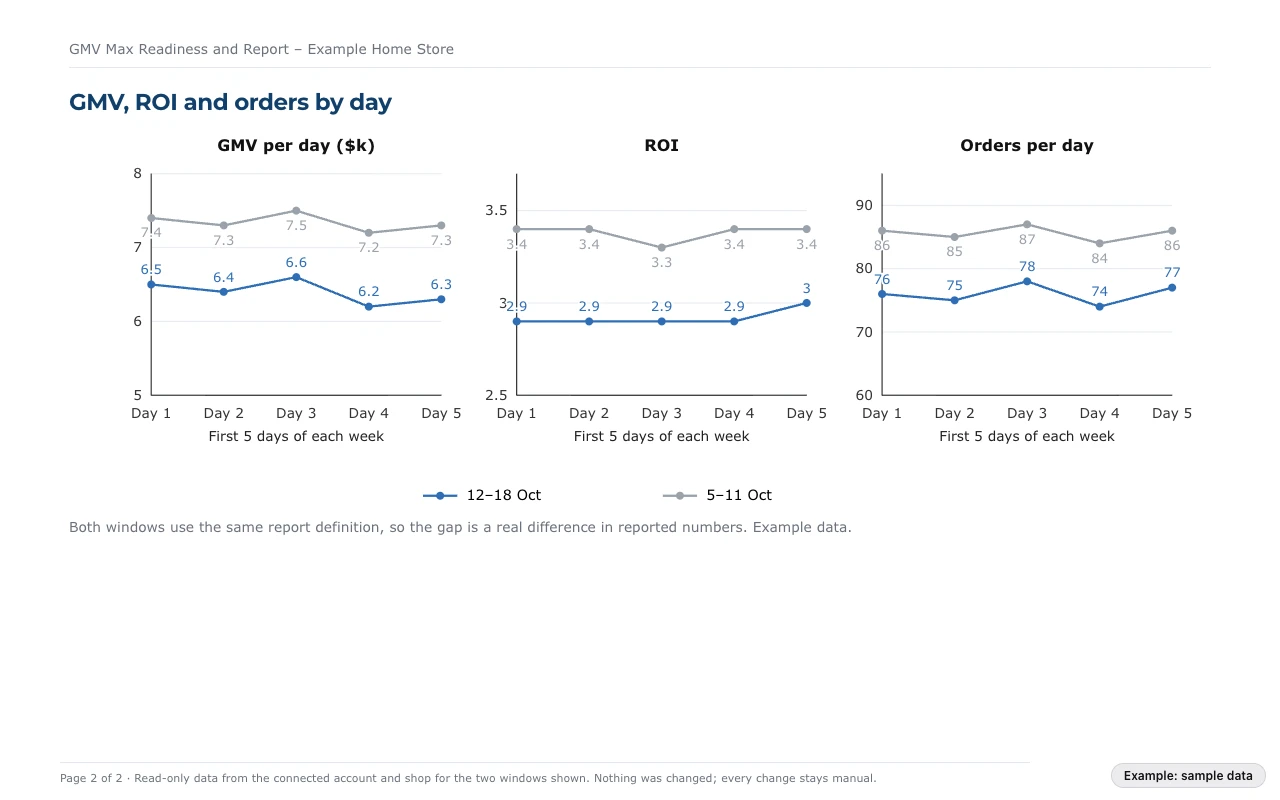
You get matching report windows compared, with edits and report-definition changes kept apart from guesses.
Before: Reported GMV or ROI fell this week and you cannot tell why.
Made for
- TikTok Shop sellers who run or plan Product GMV Max ads
- Ad operators who need to explain a drop in reported GMV or ROI
- Teams moving older shopping ads over to Product GMV Max
Not made for
- Anyone who wants LIVE GMV Max help: this skill covers Product only
- Anyone who wants stock, profit or fixed budget and ROI numbers recommended
- Anyone who wants the skill to edit campaigns for them
What you need
- AI assistantAn AI assistant that lets you add skills.
- Account or accessA connection from your AI assistant to your TikTok Ads account (a tool link, often called MCP) that can read GMV Max shops, campaigns, identities, posts and reports. The skill only reads: it never changes your account, and you make every change by hand. You need access to the ad account and shop. Ecomdy can help you set the connection up.
- Your numbersWhich ad account and shop to check. For a performance question, add the dates to compare, the account time zone, currency, and the product or campaign if you mean one. For a missing-video question, name the product. Share your ROI or budget limits if you want a change planned.
- Optional extra · optionalStock, price or margin notes, and the date of any recent edit. The ads data alone cannot show those causes.
Replace the [brackets] with your own details, then paste it into your AI assistant.
Is my shop ready?
Is my shop ready to start Product GMV Max ads?
Ad account: [ad account name or ID]
Shop: [shop name]
Check authorization, identities and any existing campaigns, and tell me what blocks me and what to check next.
You get: What is in place, each blocker with its exact status, and the next manual check. Not a launch approval.
Why did GMV or ROI fall?
Why did reported GMV or ROI decline?
Ad account: [ad account name or ID]
Shop: [shop name]
This period: [dates]
Compare with: [dates]
Time zone and currency: [details]
You get: A conclusion, the data and definitions used, observed changes by campaign, product or post where possible, and what is still unknown.
Missing product videos
Why are my product videos missing from the available ad content?
Ad account: [ad account name or ID]
Shop: [shop name]
Product: [product name or ID]
You get: Supported gaps in identities, authorization or posts, or a note naming the check that could not be run.
Did my change help?
I changed [what you changed] on [date]. Did results improve?
Ad account: [ad account name or ID]
Shop: [shop name]
Before: [dates]
After: [dates]
My ROI or budget limit: [if any]
You get: Whether the setting matches, and whether results improved, stayed flat, worsened or cannot be told, with no claim of cause.
Choose your AI assistant, then follow the video to add this skill to it step by step.
Ready to try Check your Product GMV Max setup and why GMV or ROI changed?
Source: from TikTok Agentic Hub