Check your TikTok Smart+ car ads against five best practices
Review a TikTok Smart+ campaign for creatives, budget, bid and learning phase, and get a short verdict with next steps to do by hand.
Updated
- Free
- Ready in one click
- Needs a TikTok Ads connection
- 1
Download skill
Click the button
- 2
Add to your assistant
A few steps below
- 3
Paste a prompt
Fill in, get your answer
From guesswork to a clear answer
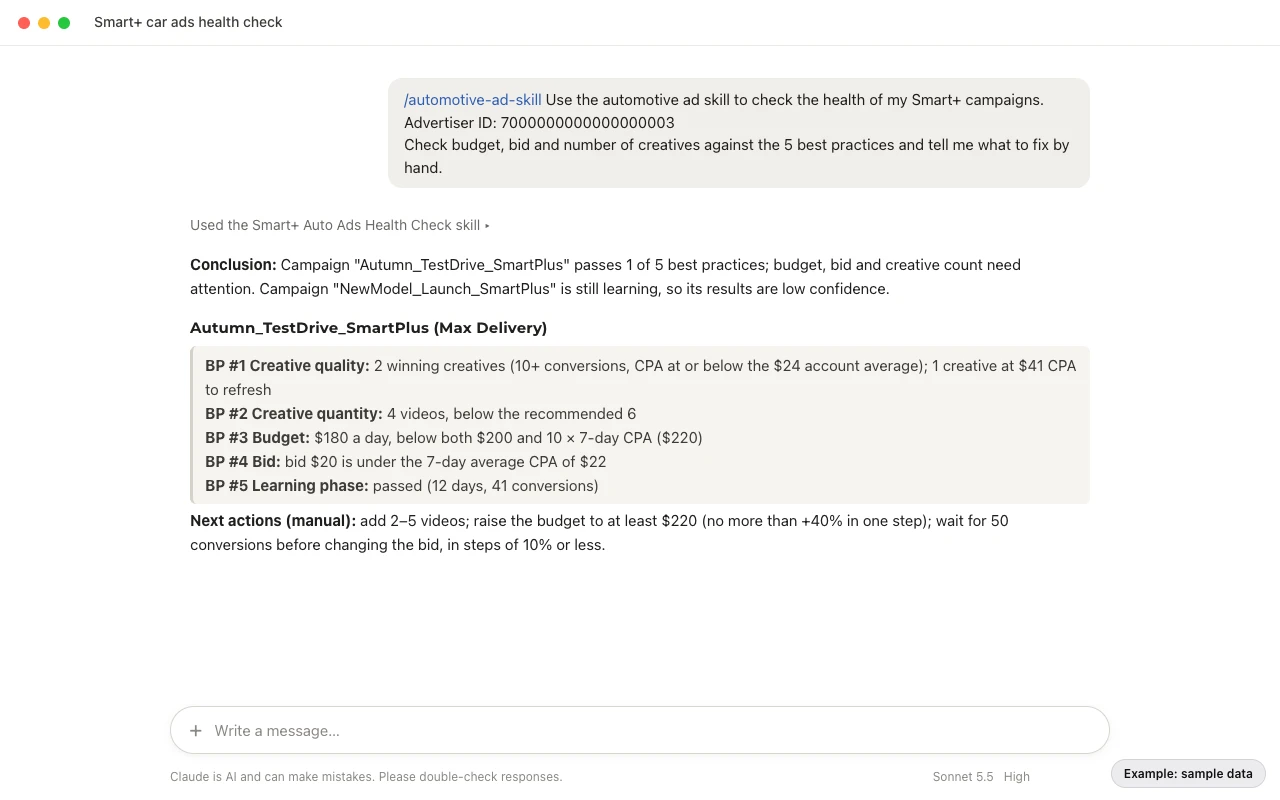
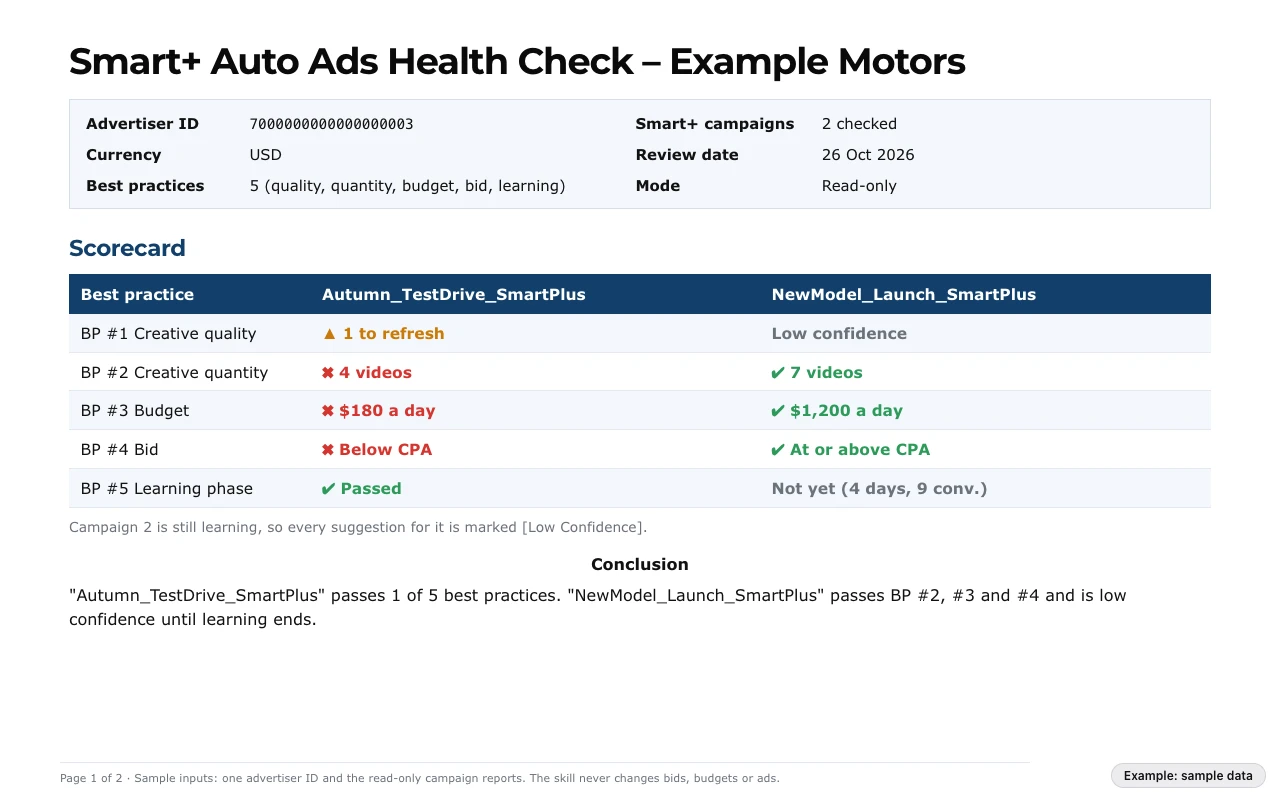
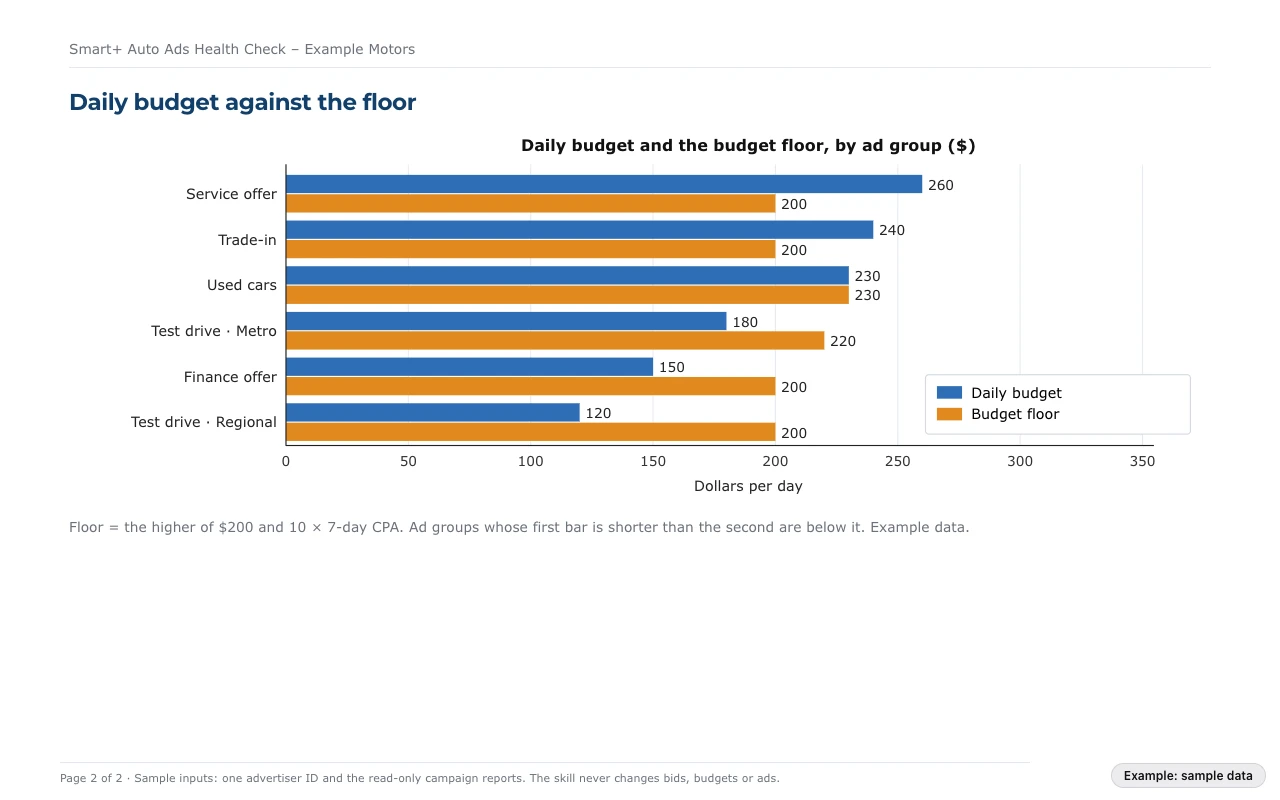
You get a short verdict and 3 to 5 pieces of evidence on creatives, budget, bid and learning phase.
Before: You are not sure if your Smart+ campaign is set up the way TikTok advises.
You see how many video creatives you have and which ones convert too little for their cost.
Before: Conversions have slipped and you do not know if creatives are the cause.
You get a plain check of the 7 days and 25 conversions rule before you change anything.
Before: You are afraid a budget or bid change will disturb the learning phase.
Made for
- Car makers, dealers and agencies running TikTok Smart+ campaigns
- Advertisers who want a quick health check before changing budget or bid
- Teams who can connect their AI assistant to a TikTok Ads account
Not made for
- Advertisers who run only standard (non Smart+) campaigns: the skill says these are out of scope
- Anyone who wants the skill to change bids, budgets or pause ads: it only reads and advises
What you need
- AI assistantAn AI assistant that lets you add skills.
- Account or accessA connection from your AI assistant to your TikTok Ads account (an MCP connection) that can read campaigns, ads and reports. The skill is read-only: its own files say it never pauses ads or changes bids or budgets. It does not work from a plain chat. Ecomdy can help you set up the connection.
- Your numbersYour TikTok advertiser ID. You can also name the campaign you care about, for example a new auto show campaign, and say what changed lately (conversions down, new launch).
Replace the [brackets] with your own details, then paste it into your AI assistant.
Full health check
Use the automotive ad skill to check the health of my Smart+ campaigns.
Advertiser ID: [your advertiser ID]
Check budget, bid and number of creatives against the 5 best practices and tell me what to fix by hand.
You get: One-sentence conclusion, 3 to 5 bullets of evidence for each best practice, and manual next actions.
Weak conversions: creatives
Advertiser [advertiser ID] runs automotive Smart+ ads and conversions got worse lately. Use the automotive ad skill to check how many video creatives we have and which ones cost too much for too few conversions.
You get: Creative count against the 6 video guideline and a list of creatives to refresh or pause by hand.
Is learning phase over?
Check advertiser [advertiser ID], campaign [campaign name or ID], launched on [date]. Has it passed the learning phase (7 days and 25 conversions)? Would a 10% budget increase now cause problems?
You get: A learning phase status and a cautious note on budget changes. Answers are marked Low Confidence while learning is not finished.
Choose your AI assistant, then follow the video to add this skill to it step by step.
Ready to try Check your TikTok Smart+ car ads against five best practices?
Source: from TikTok Agentic Hub