Check your clothing collection launch before you push it harder
Share your collection's sizes, colours, stock and promotion dates and get gaps, stale offers and a fix list.
Updated
- Free
- Ready in one click
- Works in a plain chat
- 1
Download skill
Click the button
- 2
Add to your assistant
A few steps below
- 3
Paste a prompt
Fill in, get your answer
From guesswork to a clear answer
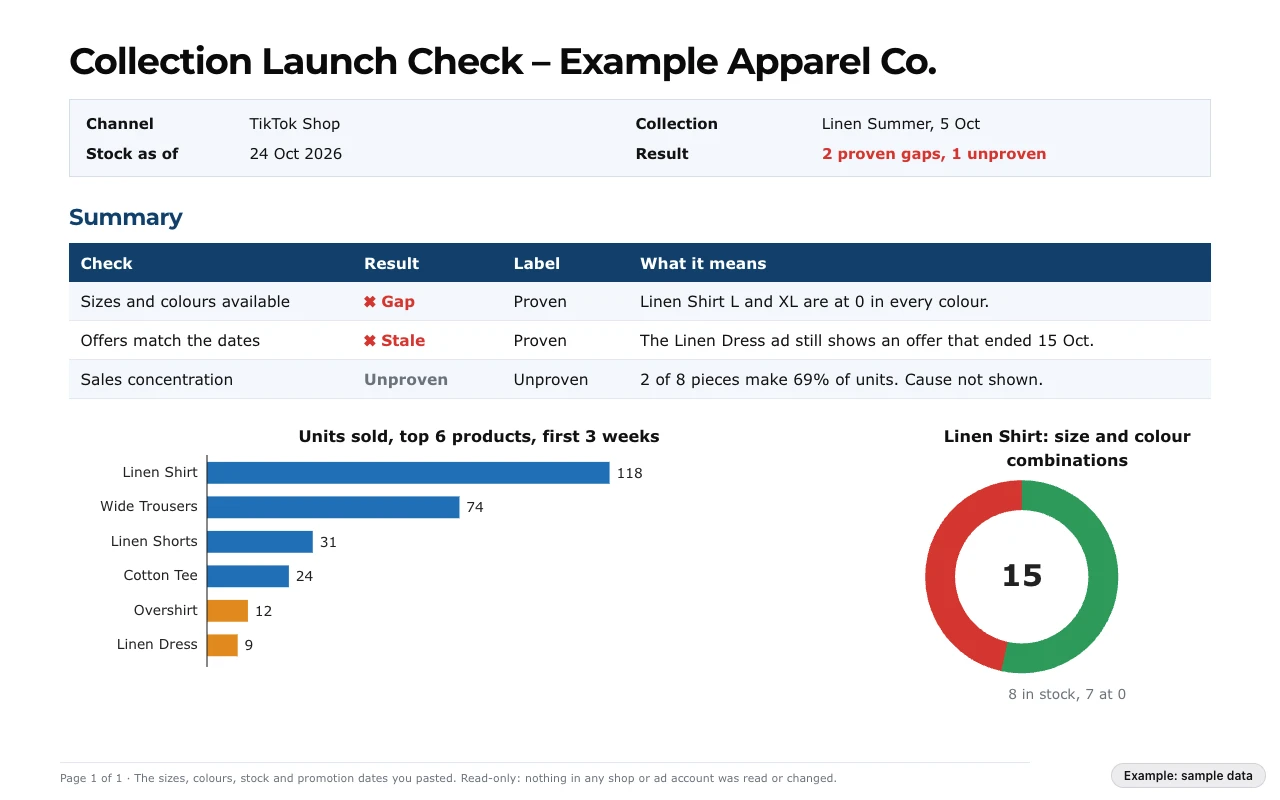
You get the launch checked piece by piece, with proven gaps kept apart from guesses.
Before: Only a few products sell after a collection launch and you do not know what to check first.
You get a check that each size and colour is really available and matched to the right product before you push it.
Before: One size or colour sells well and you want to promote the others.
You get a line-by-line list of ads and offers to correct by hand, with the dates and the product each should point to.
Before: Your ads still show an old collection or a sale that has ended.
Made for
- Clothing and fashion sellers who launch collections or seasonal ranges
- Sellers on TikTok Shop or their own website whose ads show old items
- Marketers planning try-on, colour and size content for a collection
Not made for
- Wig sellers: the skill leaves wigs out
- People who want a legal or policy approval of their ads or products
- People who expect it to read their shop, product catalogue or ad account
- People who want a ready-made budget or return-on-ad-spend target
What you need
- AI assistantAn AI assistant that lets you add skills.
- Your numbersYour sales channel (TikTok Shop, your own website or offline), the collection and the products, sizes and colours involved, what sells and what does not, current stock per size and colour with the date, and promotion dates and discounts with the ads that mention them. Totals only, no customer details.
Replace the [brackets] with your own details, then paste it into your AI assistant.
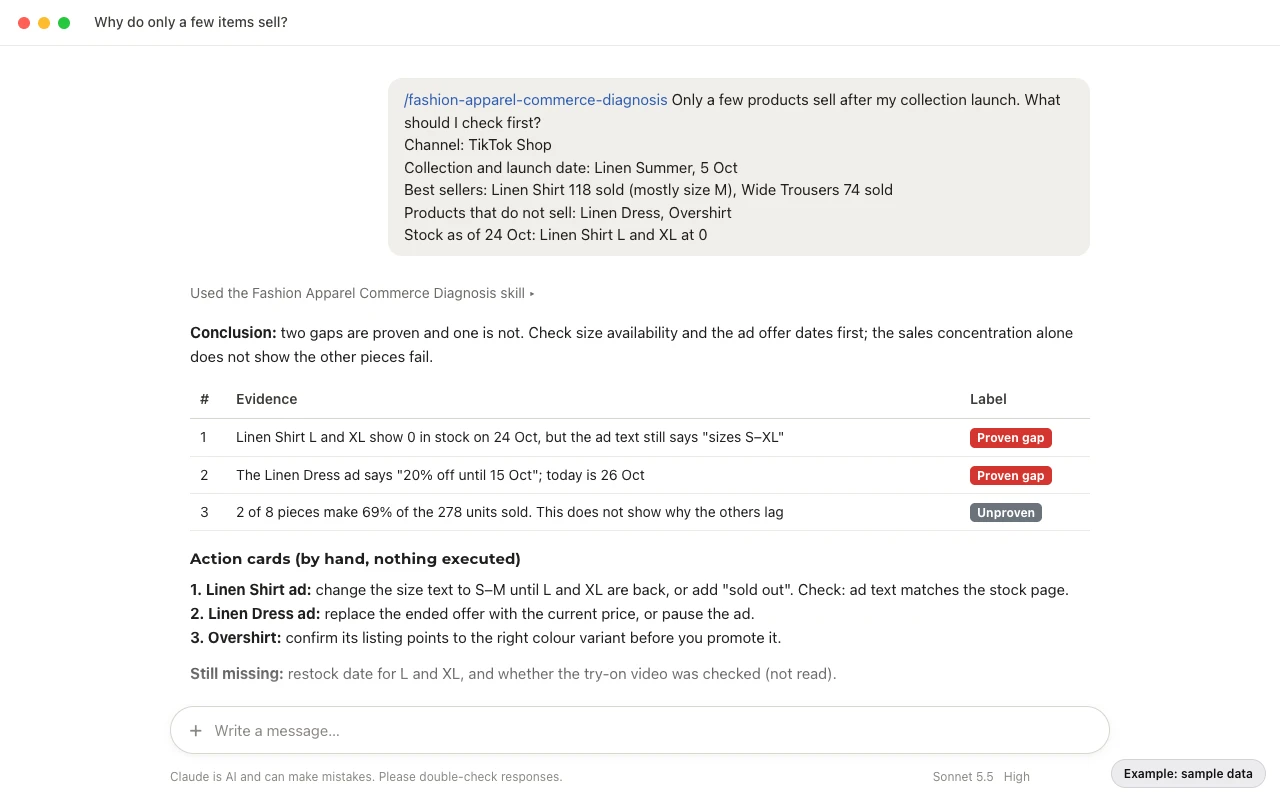
Why do only a few items sell?
Only a few products sell after my collection launch. What should I check first?
Channel: [TikTok Shop, my website, offline]
Collection and launch date: [name, date]
Best sellers: [products, sizes, colours, sales]
Products that do not sell: [list]
Stock per size and colour as of [date]: [numbers] Answer in English.
You get: A readiness check by product, size and colour, with proven gaps marked and sales concentration labelled as unproven.
Before I promote other sizes
One variant of my product sells well. What should I verify before I promote the other sizes?
Product: [name]
Best-selling size and colour: [which]
Other sizes and colours with stock as of [date]: [list and numbers]
The product page or listing each size points to: [describe] Answer in English.
You get: A check that each size and colour is in stock and matched to the right listing, with what is still unknown.
Old offers in my ads
My ads may promote an old collection or an ended sale. Help me list what to correct.
Current collection: [name and launch date]
Sale or discount dates and time zone: [dates]
Ads and what each says: [ad name, text, product it shows]
If I have no live stock numbers: [say so] Answer in English.
You get: A line-by-line list of ads or offers to fix by hand, each with the date and product it should match.
Choose your AI assistant, then follow the video to add this skill to it step by step.
Ready to try Check your clothing collection launch before you push it harder?
Source: from TikTok Agentic Hub