Check your real estate ad for Fair Housing problems before you post
Paste a listing, caption, script or video link and get risky words, emojis and hashtags flagged, with safer rewrites.
Updated
- Free
- Ready in one click
- Needs a TikTok Ads connection
- 1
Download skill
Click the button
- 2
Add to your assistant
A few steps below
- 3
Paste a prompt
Fill in, get your answer
From guesswork to a clear answer
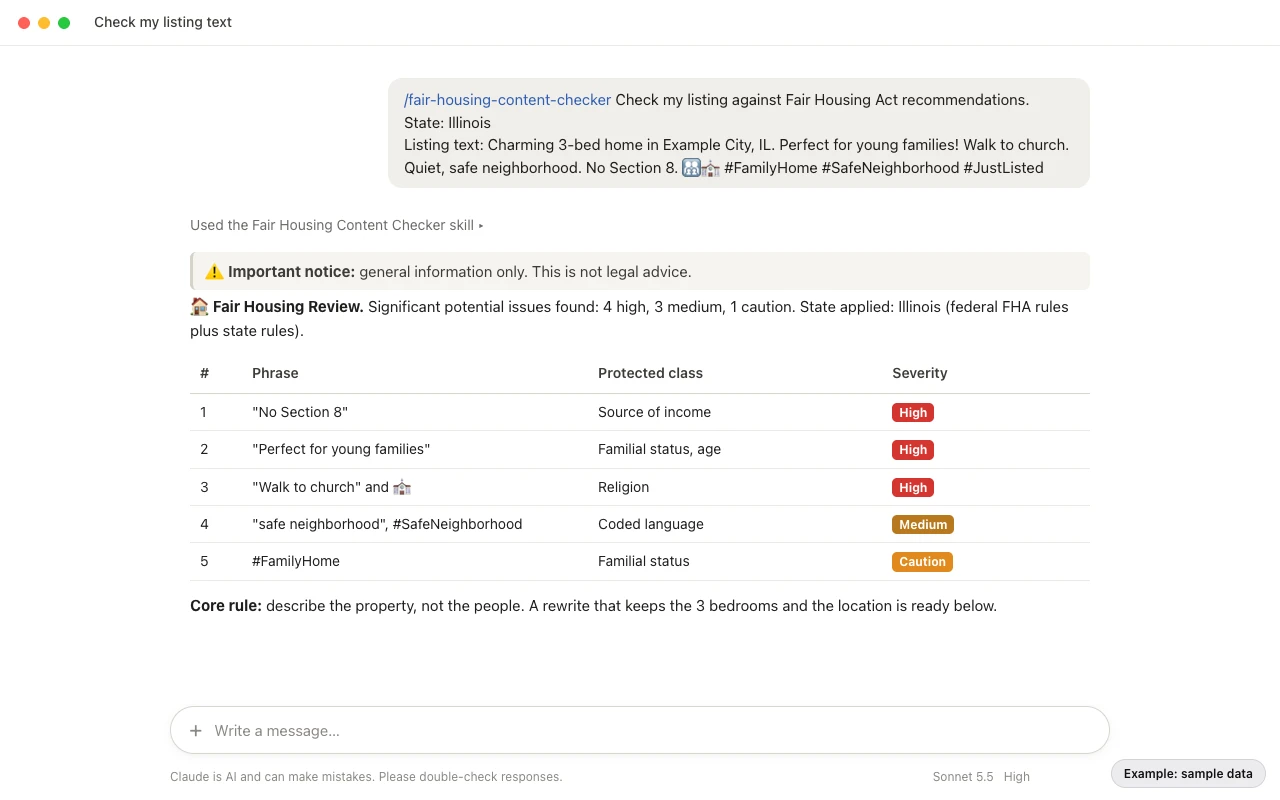
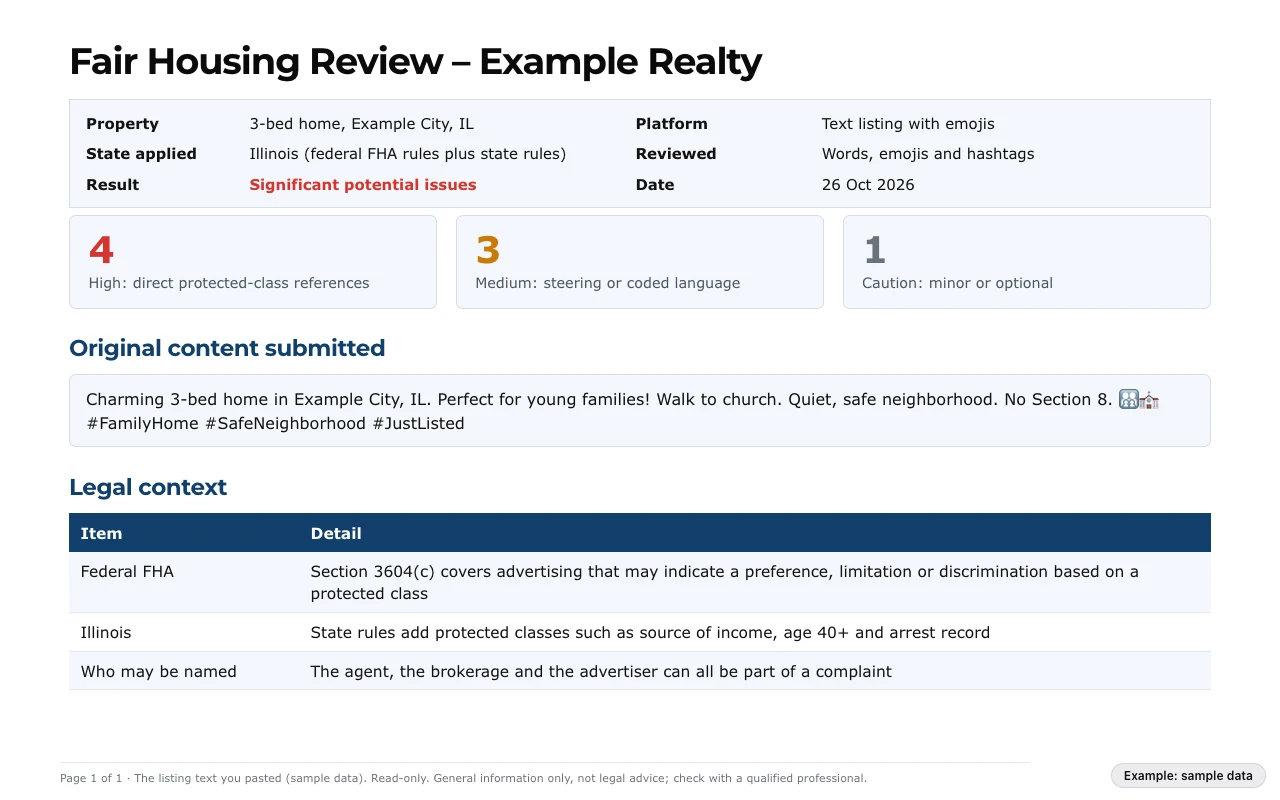
You get each risky phrase flagged with the group it affects and a safer way to say it.
Before: You are not sure if a phrase like 'perfect for families' is allowed in a listing.
You get the voiceover, on-screen text, caption, emojis, hashtags and music lyrics reviewed together.
Before: You post videos and captions with emojis, hashtags and music and nobody checks them.
You get your state's extra protected groups applied to the review.
Before: You do not know which extra rules your state adds.
Made for
- Real estate agents and teams who post listings on TikTok, Instagram or YouTube
- Marketing managers who approve property ads before they go live
- Anyone writing a listing description or video script for a US property
Not made for
- Anyone outside the United States: the rules in the skill are US federal and state rules
- People who need legal advice: the skill only gives general information
- Non-real-estate ads: it only checks housing advertising
What you need
- AI assistantAn AI assistant that lets you add skills.
- Account or accessNothing for text: paste your listing, caption or script into the chat. Only if you want a full video review (spoken words and music), the skill may ask to install small tools on your computer (yt-dlp, instaloader and hyperframes) to download the video and turn speech into text. It asks first; if you say no it uses the caption alone. It never touches your TikTok Ads account. Ecomdy can help set up the video tools.
- Your numbersThe ad text to check (listing, caption, script or a public video link) and the US state the property is in. For an ad targeting review, also the age range, gender, location radius, interests and exclusions you set.
- Optional extra · optionalFor a video review you also need an AI assistant that can run commands on your computer, and permission to install the tools above.
Replace the [brackets] with your own details, then paste it into your AI assistant.
Check my listing text
Check my listing against Fair Housing Act recommendations.
State: [state]
Listing text: [paste your listing description or caption, with emojis and hashtags]
You get: A review table of risky words, emojis and hashtags with severity, the legal context, suggested changes and a rewrite.
Check a video script
I am writing a video ad script for [type of property] in [city, state]. Check it for fair housing advertising considerations before I shoot it.
Script: [paste script]
On-screen text: [paste text]
Hashtags and music: [list]
You get: Flagged phrases with reasons, a rewrite of the voiceover and caption, and recommendations.
Review a posted TikTok video
Check this TikTok video for fair housing advertising considerations: [video link]. Property state: [state]. Do a full video review including voiceover and music if the tools are available.
You get: The caption, spoken words and on-screen text reviewed, with issues, a rewrite and next steps.
Check my ad targeting
Review my ad targeting settings for a housing ad.
Platform: [TikTok, Meta...]
Age range: [range]
Gender: [setting]
Location: [radius or zip codes]
Interests: [list]
Exclusions: [list]
You get: A checklist showing which settings fit housing advertising rules and which are a concern.
Choose your AI assistant, then follow the video to add this skill to it step by step.
Ready to try Check your real estate ad for Fair Housing problems before you post?
Source: from TikTok Agentic Hub