Decide which TikTok campaigns to raise, cut or pause
Get a campaign-by-campaign budget plan (raise, cut, keep or pause) from your own TikTok numbers, with the reason for each. Nothing changes unless you confirm.
Updated
- Free
- Ready in one click
- Needs a TikTok Ads connection
- 1
Download skill
Click the button
- 2
Add to your assistant
A few steps below
- 3
Paste a prompt
Fill in, get your answer
From guesswork to a clear answer
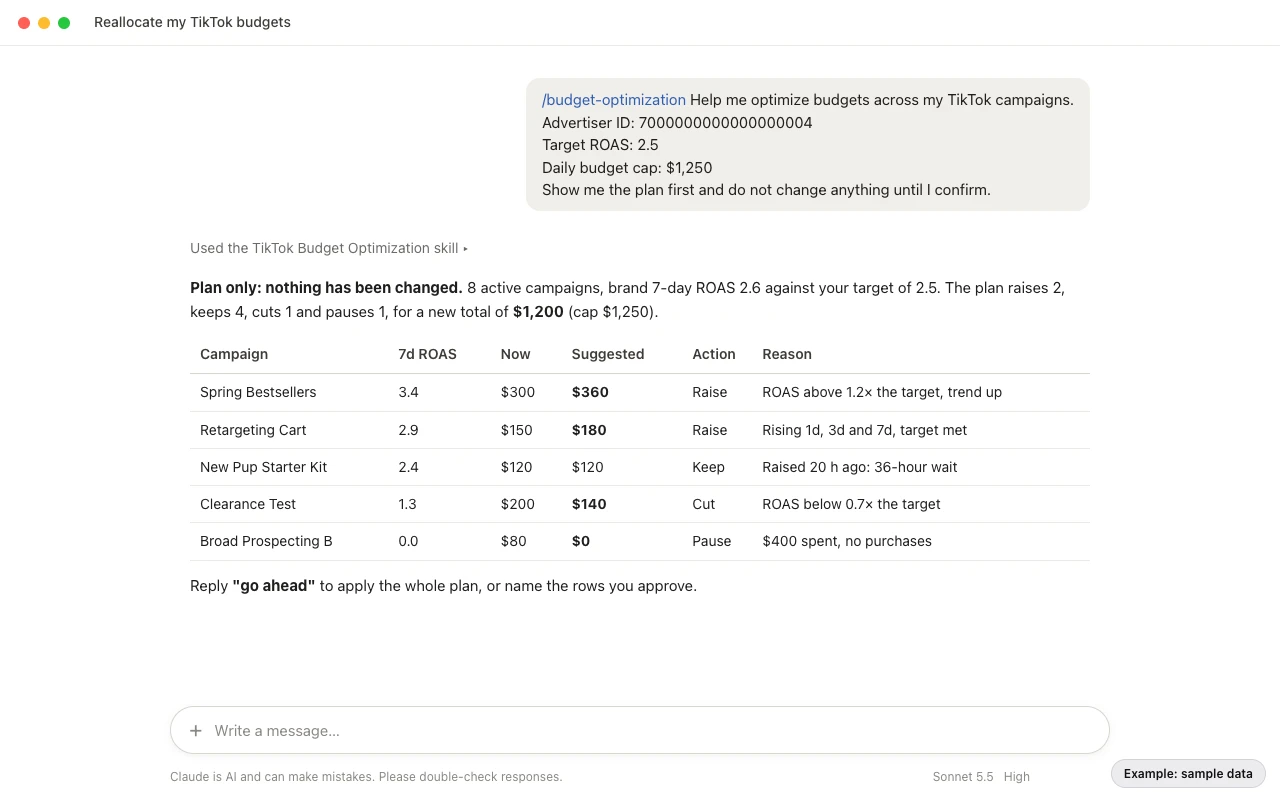
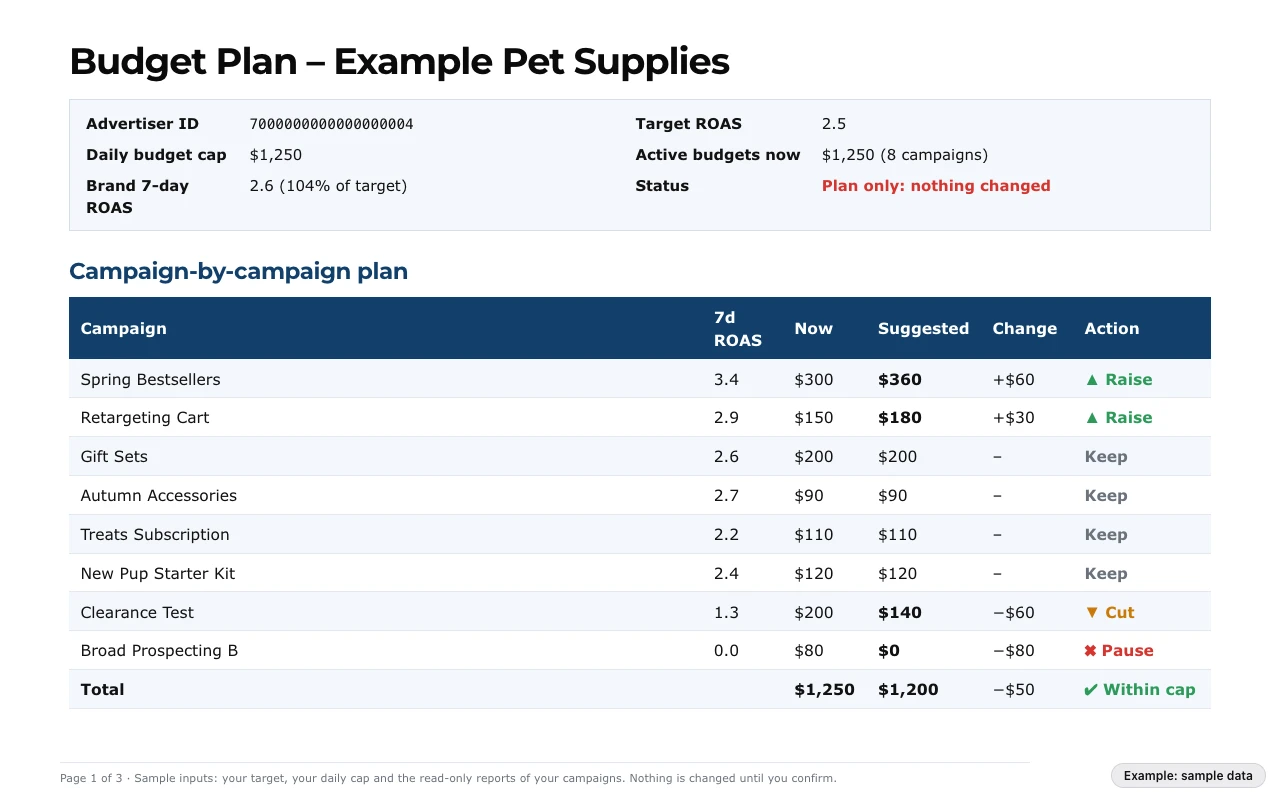
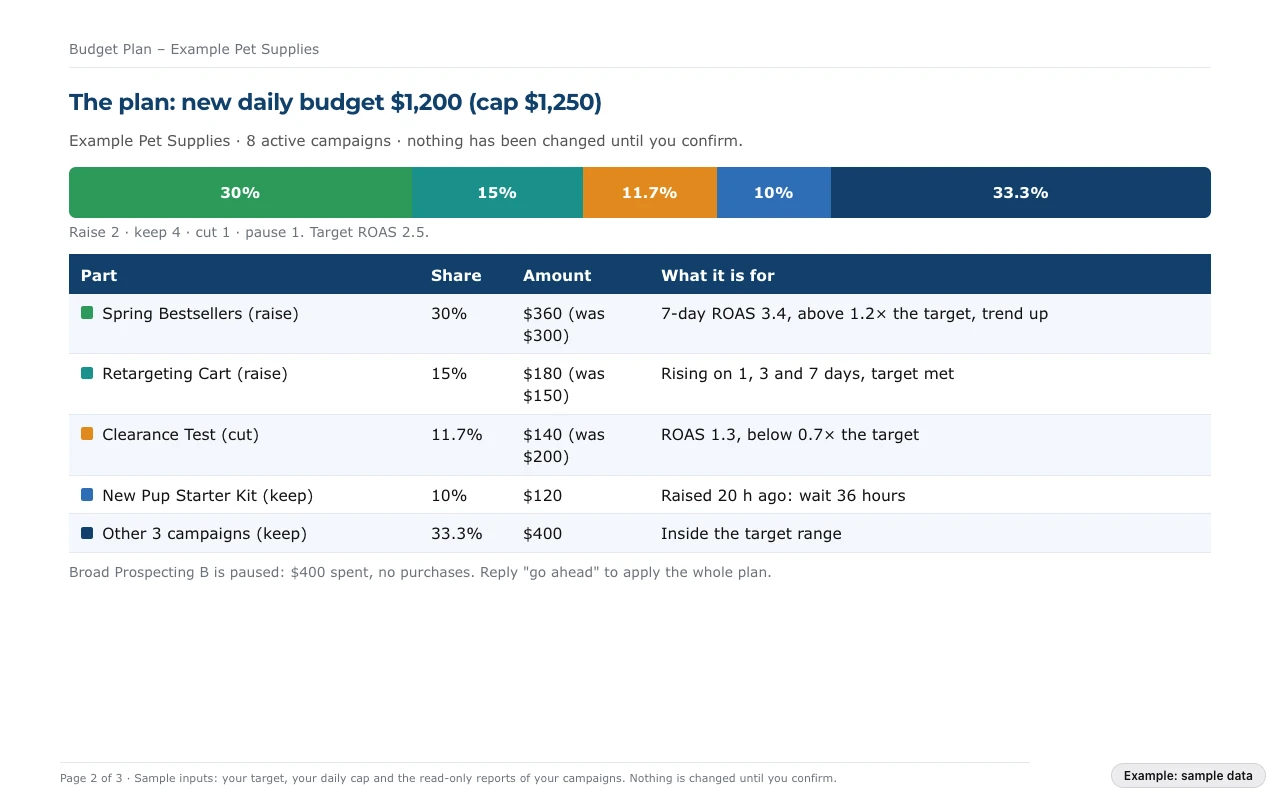
You get a per-campaign plan: current budget, suggested budget and the reason, kept within your daily cap.
Before: You are unsure which campaigns deserve more budget and which waste it.
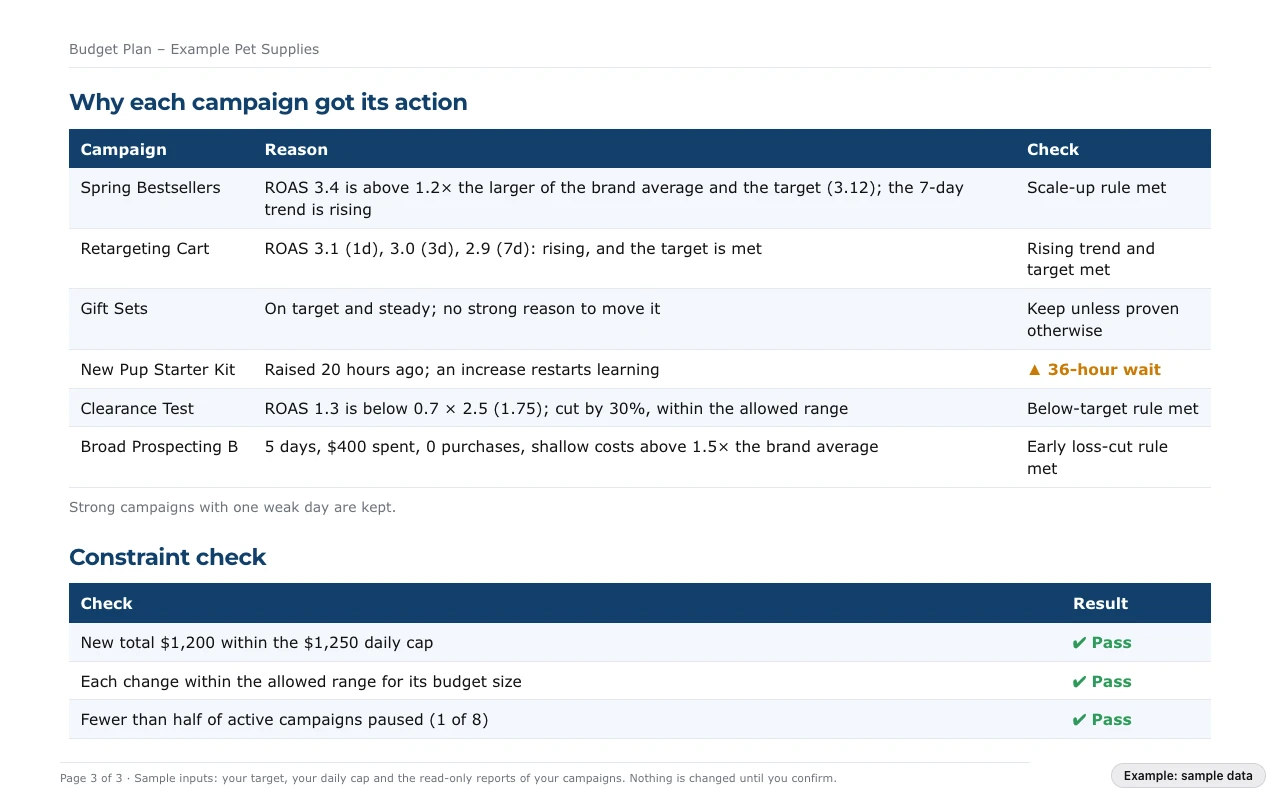
You see the weak campaigns that are spending with no conversions or far below your target, and strong ones are protected.
Before: You feel some campaigns waste money but do not know which to cut.
You get a check of the 36 hour wait after a budget increase and when to review next.
Before: You changed a budget yesterday and wonder whether to change it again.
Made for
- Advertisers running several TikTok campaigns who review budgets often
- Teams that have a target ROAS or cost per result and a daily budget cap
- People who can connect their AI assistant to a TikTok Ads account
Not made for
- Anyone setting the first budget of a new campaign: the skill says it is not for new campaign budgets
- Anyone who wants bid changes or a review of finished campaigns: both are out of scope
- Anyone not ready to review every change: it can edit budgets and pause campaigns after you approve
What you need
- AI assistantAn AI assistant that lets you add skills.
- Account or accessA connection from your AI assistant to your TikTok Ads account (an MCP connection with OAuth sign-in) that can read reports and campaigns. The skill can also CHANGE the account: it can update campaign or ad group budgets and pause or enable campaigns, but its instructions say it does so only after you confirm the full plan. It does not work from a plain chat. Ecomdy can help you set it up.
- Your numbersYour target (for example ROAS 2.5 or a target cost per result) and your total daily budget cap. Also say when you last changed budgets and any campaigns you are still watching.
Replace the [brackets] with your own details, then paste it into your AI assistant.
Reallocate my budgets
Help me optimize budgets across my TikTok campaigns.
Advertiser ID: [your advertiser ID]
Target ROAS: [number]
Daily budget cap: [amount and currency]
Show me the plan first and do not change anything until I confirm.
You get: A plan with each campaign's current and suggested budget, the reason, and a total within your cap.
What should I cut?
Which of my TikTok campaigns should I pause or cut budget on? I feel like some are wasting money.
Advertiser ID: [your advertiser ID]
Target: [ROAS or cost per result]
You get: Weak campaigns with the numbers behind each case and a suggested cut or pause. Strong campaigns with a short dip are kept.
Change again today?
I raised budgets on [campaign names] on [date and time]. Should I make more changes today?
Advertiser ID: [your advertiser ID]
You get: Whether the 36 hour cooldown applies, why changes right after an increase are risky, and when to review next.
Choose your AI assistant, then follow the video to add this skill to it step by step.
Ready to try Decide which TikTok campaigns to raise, cut or pause?
Source: from TikTok Agentic Hub